











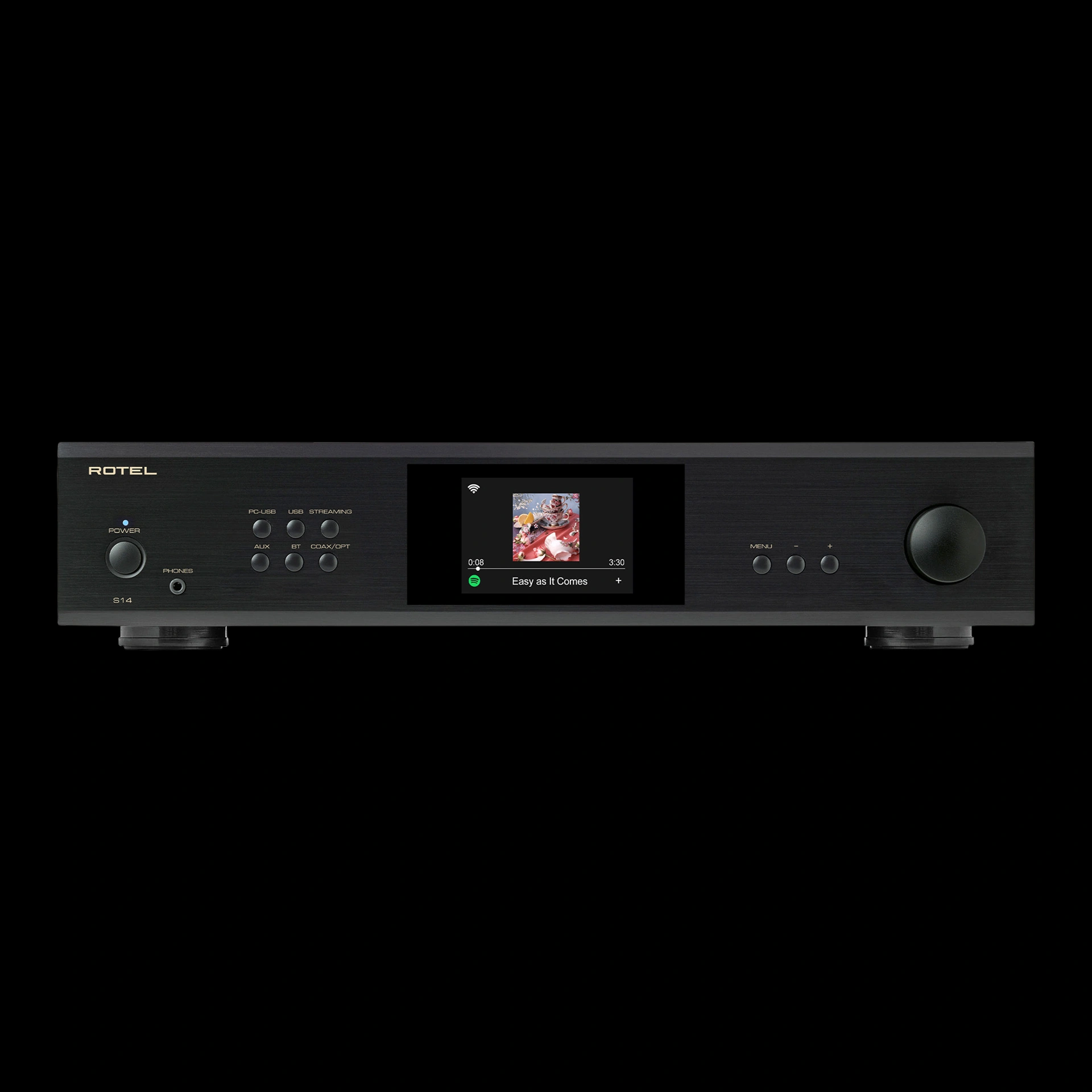


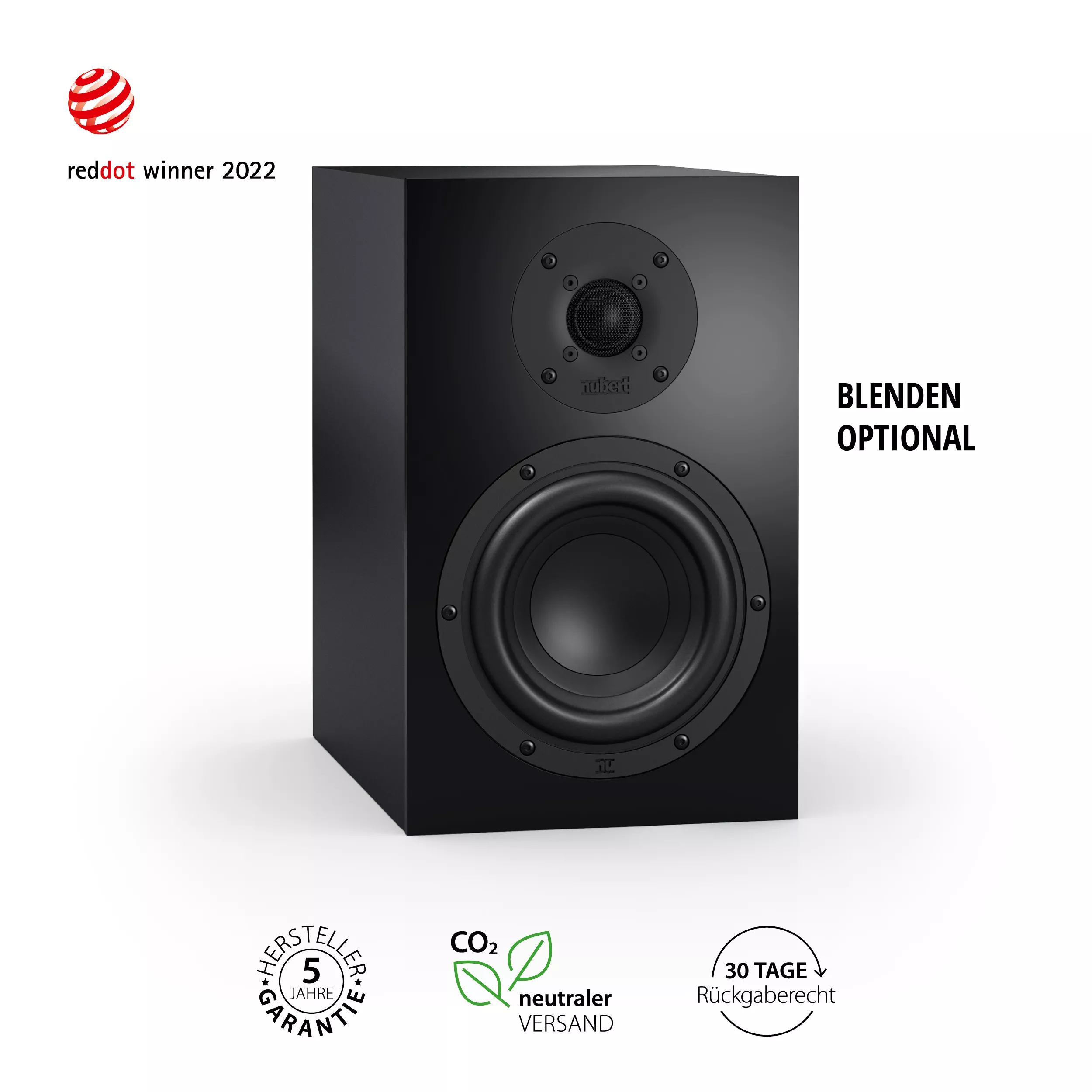
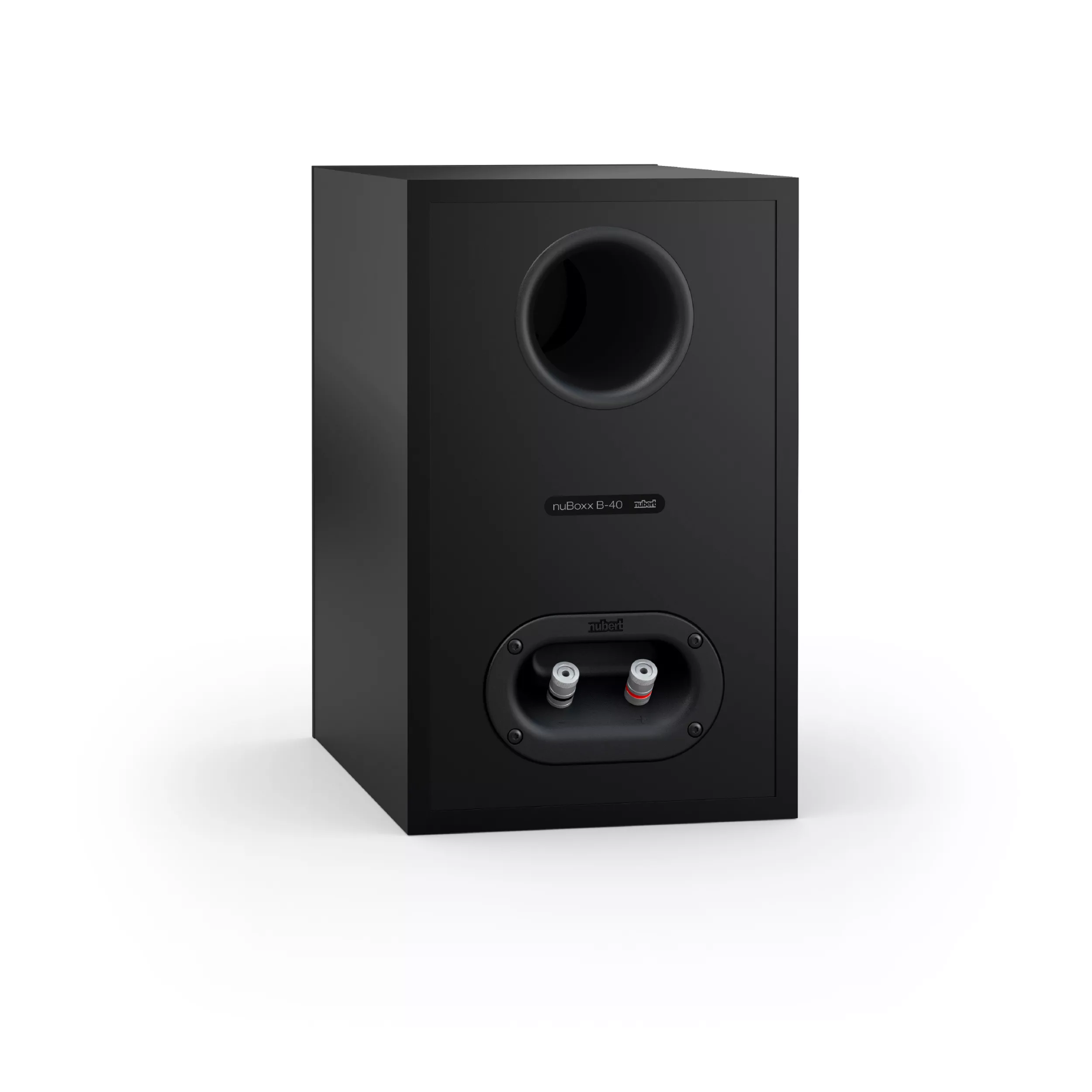
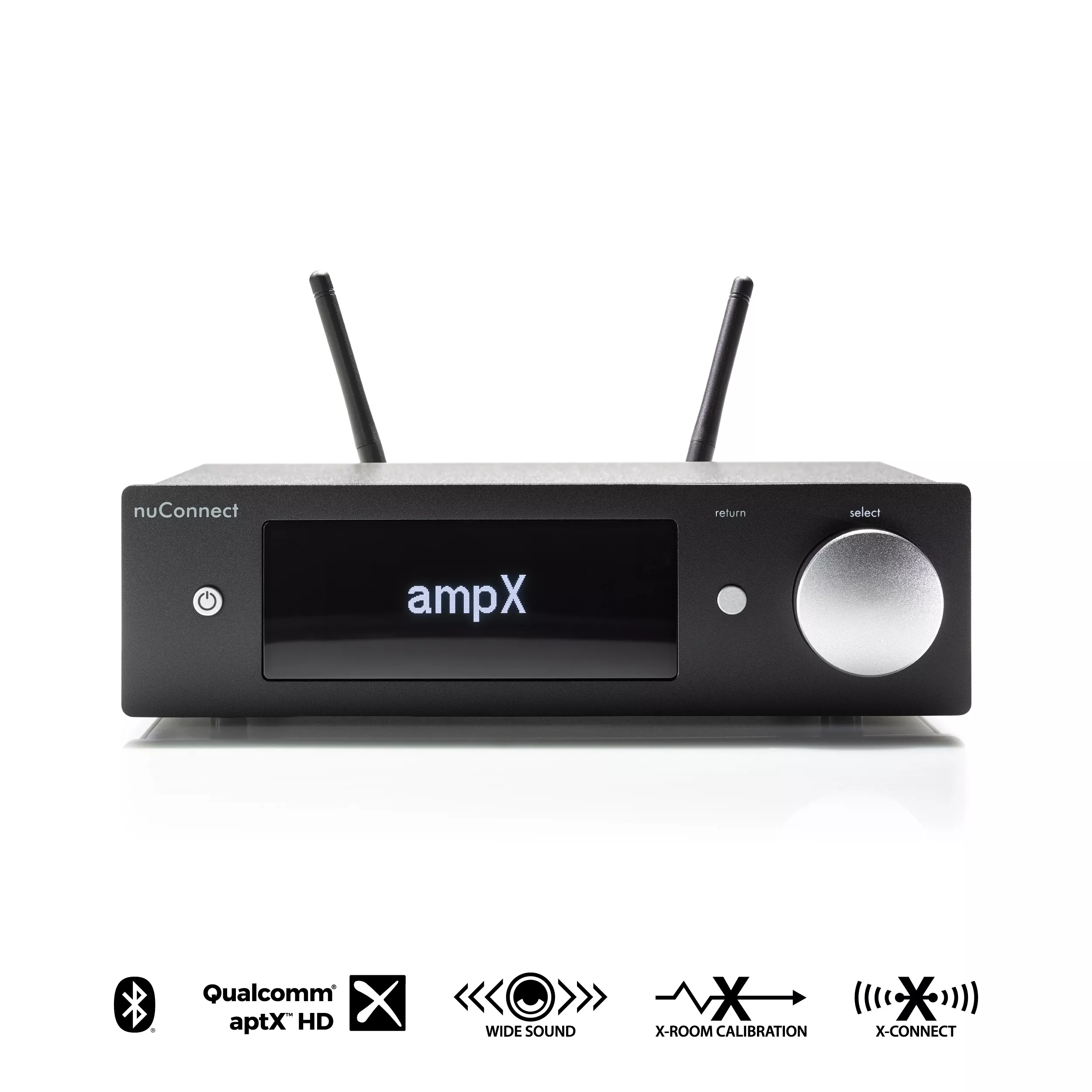

B-40 Streaming Set
€0.00
Incl. VAT plus
Available, delivery time: 1-3 working days *






Details
An Overview of the Products and Extras
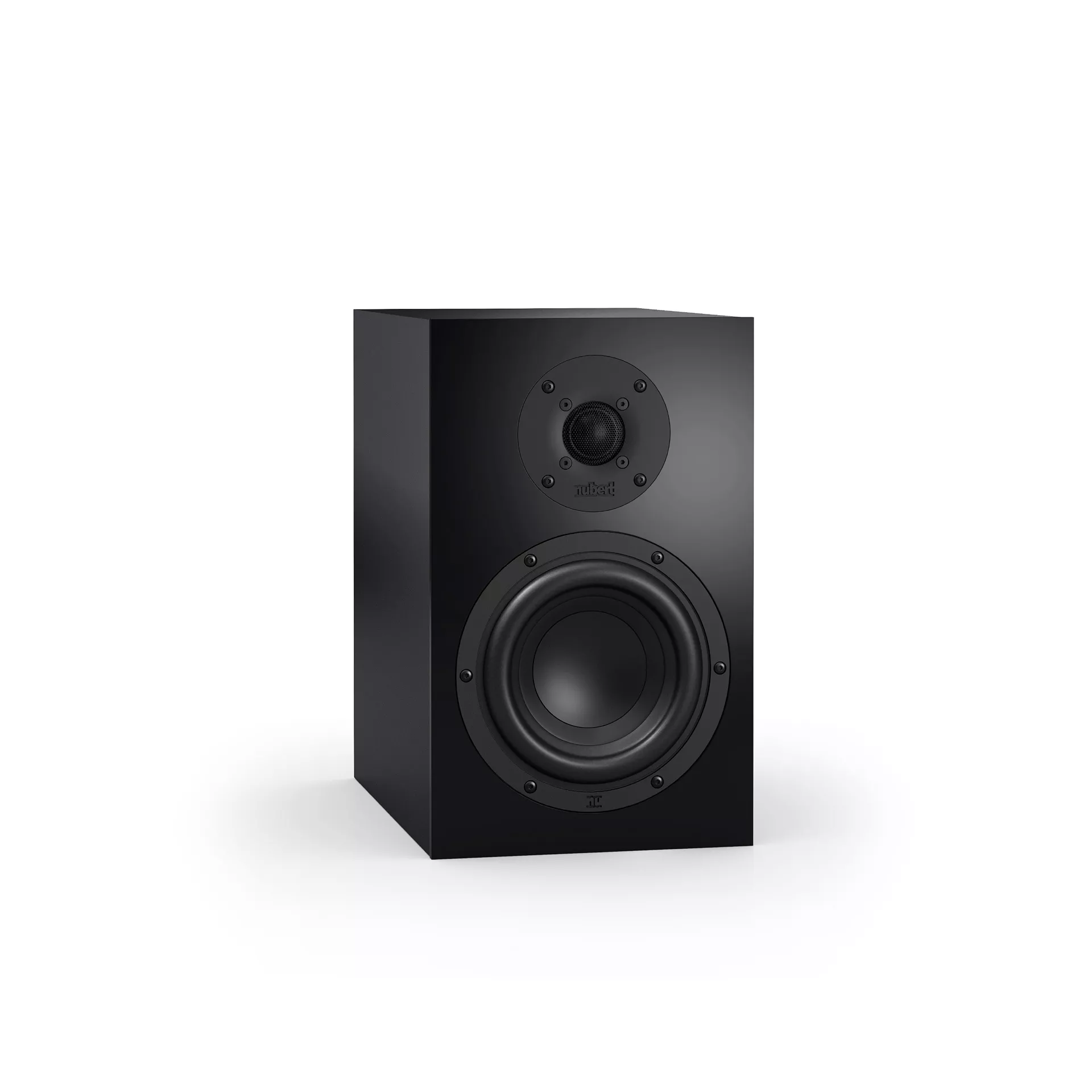
- nuBoxx B-40
- Speaker covers (optional)
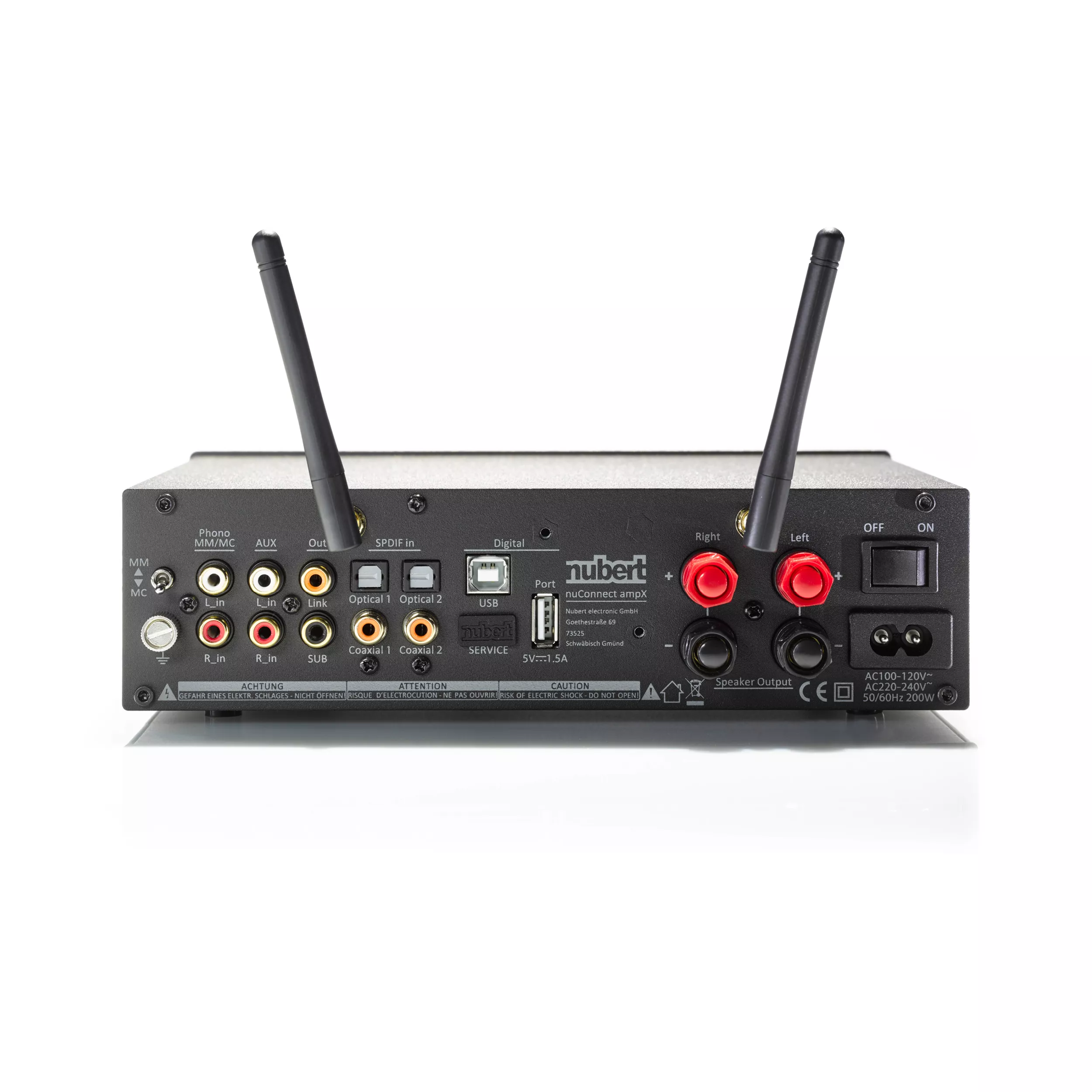
- nuConnect ampX
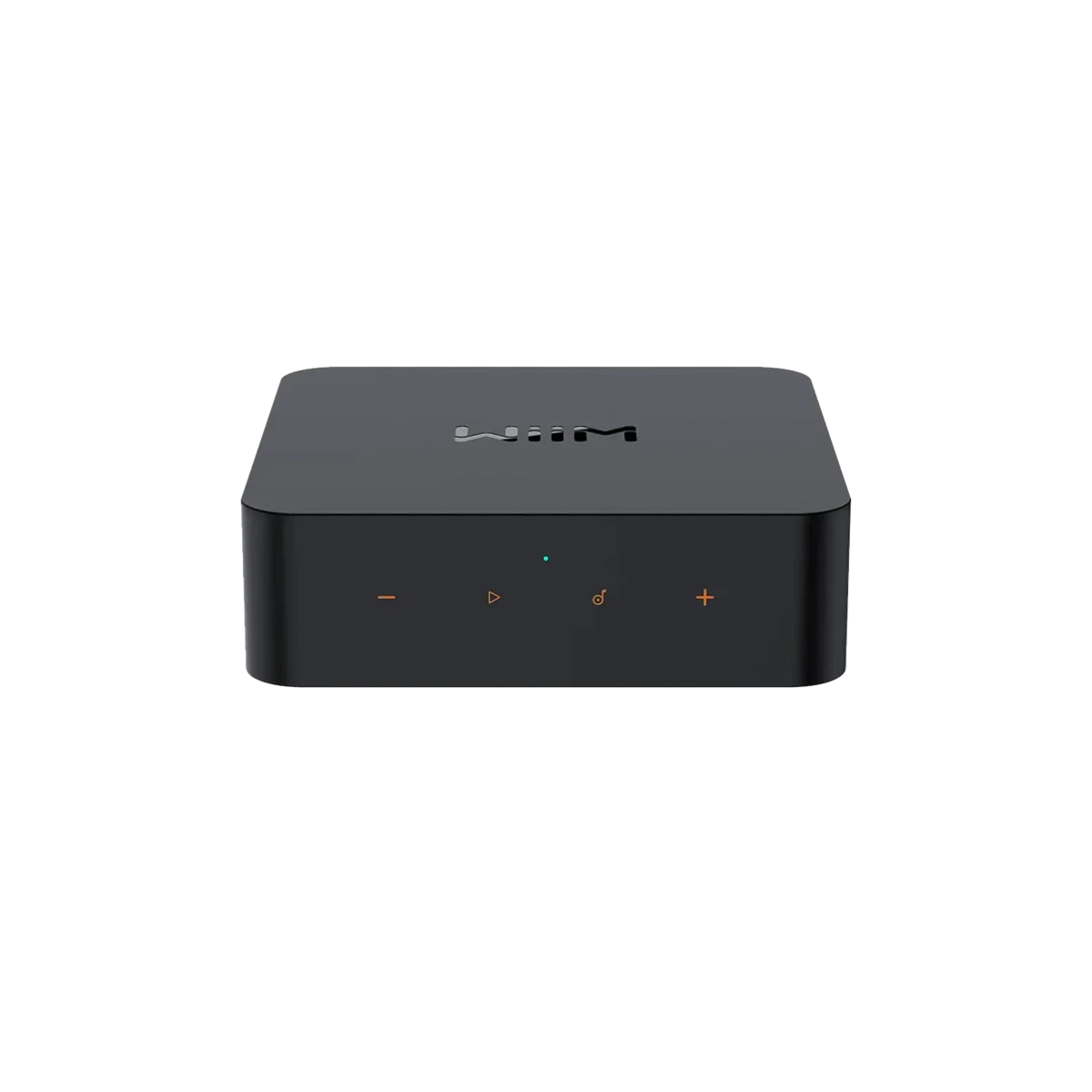
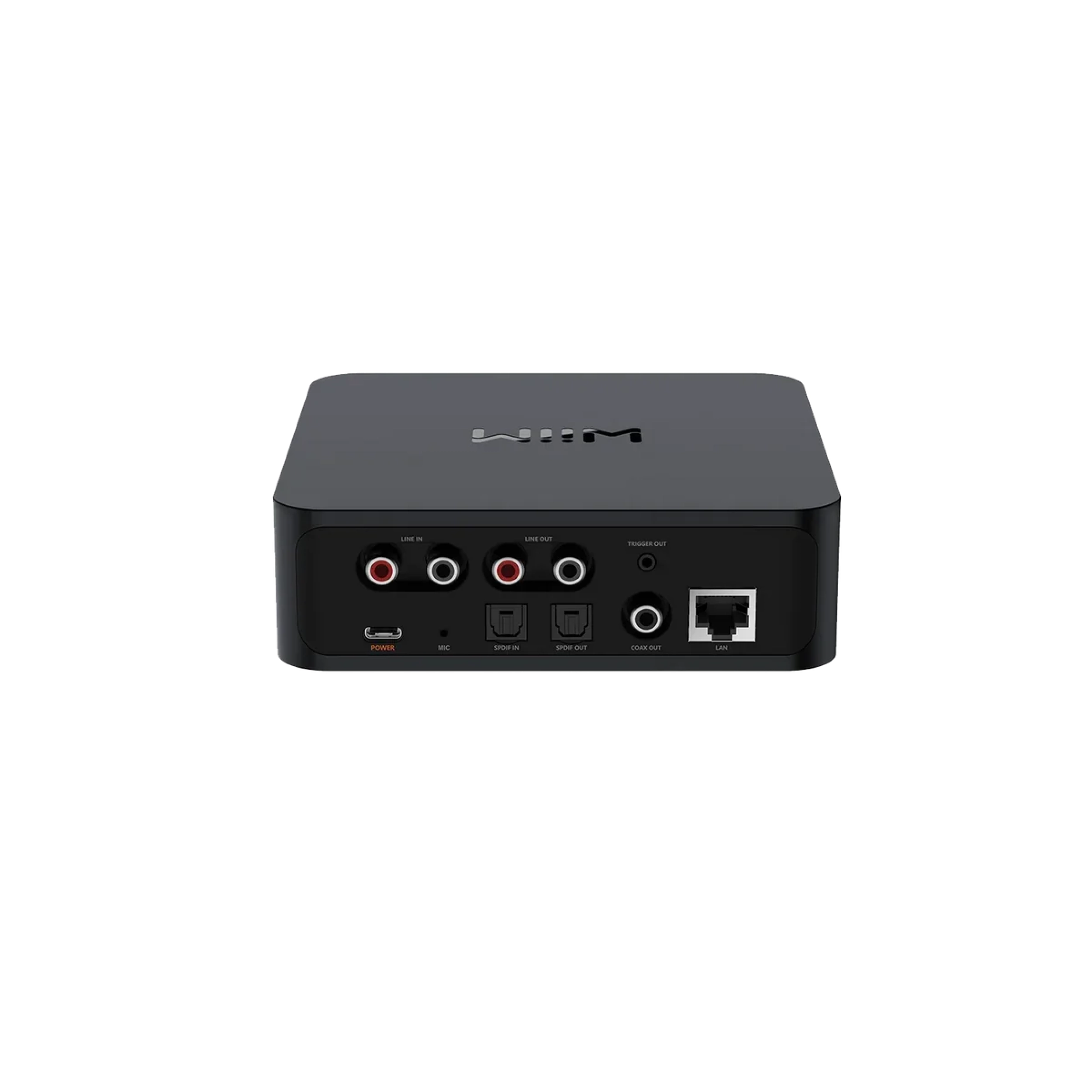
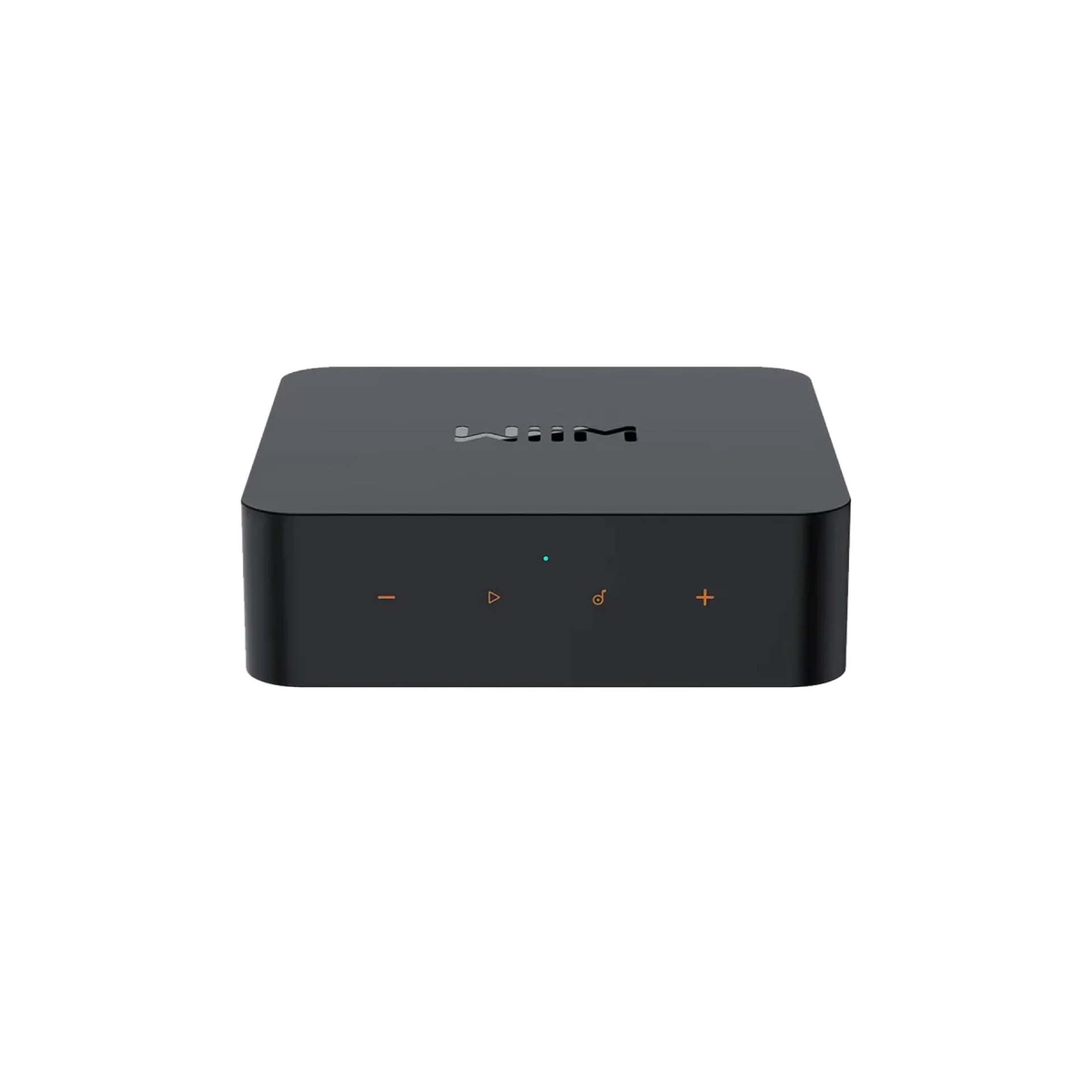
- WiiM Pro
- Warranty extension to 5 years (Only valid for Nubert amplifiers, Nubert active loudspeakers and Nubert subwoofers)
(optional)
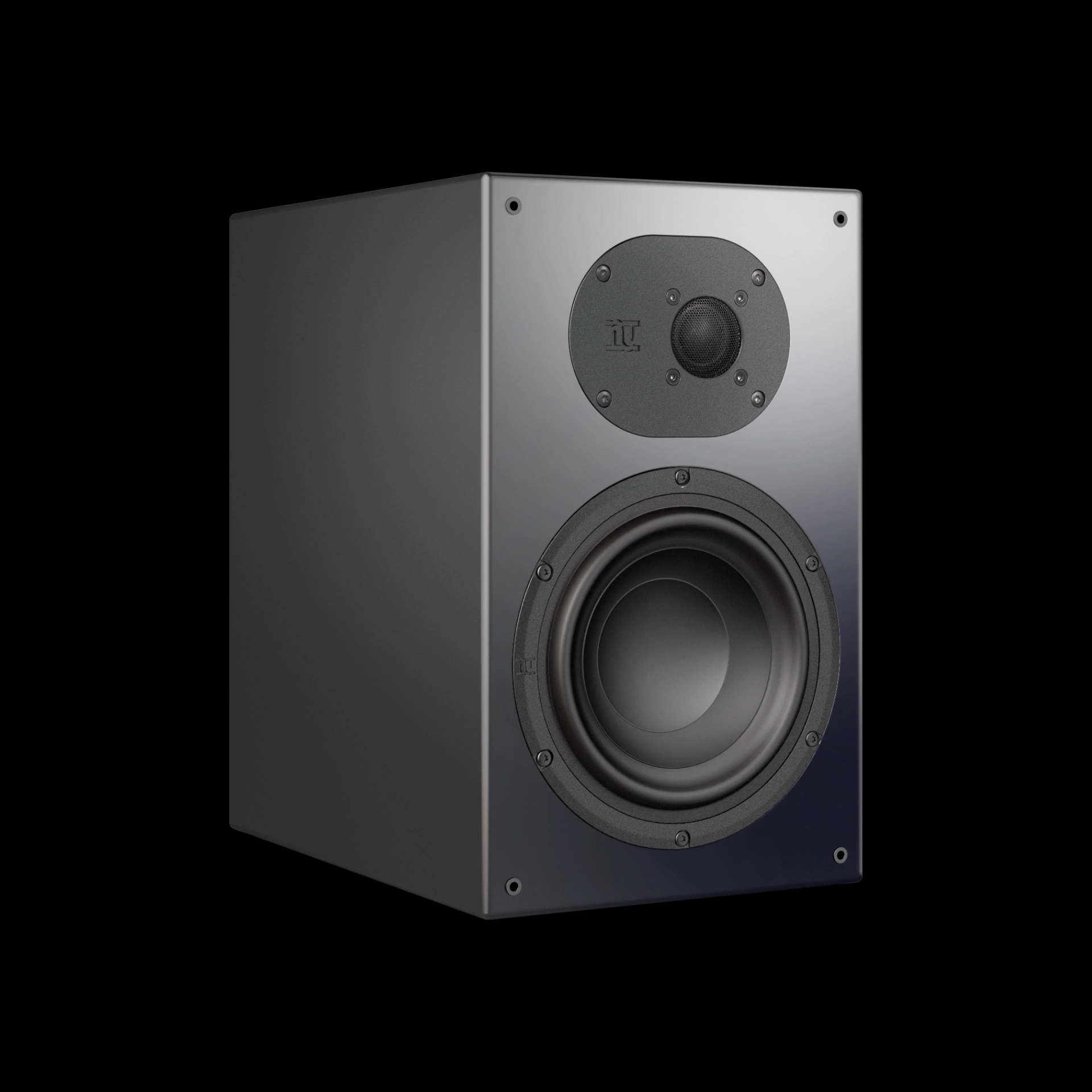
nuBoxx B-40 – Modern Technology in a Compact Format
With the nuBoxx B-40, we focused on the core strengths of Nubert: the best possible sound at an affordable price. The result is an impressive low-end reach of 41Hz, without taking up much space. The nuOva B tweeter contributes to delivering vocals and musical details at an astonishing level in this price range. This makes the nuBoxx B-40 a convincing choice both as a classic bookshelf speaker and in a surround setup.
nuConnect ampX – Compact Integrated Amplifier with Impressive Power
The nuConnect ampX is a fully digital integrated amplifier delivering 2 x 130 W of power at a width of just 23.4 cm. It features one analogue input, two coaxial and two optical digital inputs, as well as a USB DAC and an HDMI ARC port. A particular highlight is the high-quality phono preamplifier, which offers outstanding low-noise performance and the ability to switch between MM and MC cartridges. The feature set is completed with support for Bluetooth aptX HD and our proprietary wireless standard. This allows playback not only to passive speakers but also to nuPro X speakers. The nuConnect ampX thus becomes a smart hub.
WiiM Pro – High-Res Audio Streamer with Chromecast
Experience limitless streaming with WiiM Pro! The WiiM Pro makes your stereo system compatible with AirPlay 2 and Chromecast. Enjoy your favourite music, TV audio, and local content from all your iOS, Mac, and Chromecast-enabled devices. With gapless playback of high-resolution streams from Spotify, TIDAL, and Amazon Music at up to 192 kHz/24 bit, the WiiM Pro offers great convenience, maximum flexibility, and premium sound quality. Thanks to compatibility with Alexa, Google Voice, and Siri, your music is always just a voice command away. Enjoy high-quality streaming with WiiM Pro – your affordable upgrade for an excellent music experience. Please note that transmission of SPDIF-in or line-in audio to AirPlay 2 or Echo devices is not supported.
Safety Instructions
Nubert electronic GmbH
Nubertstraße 1
73529 Schwäbisch Gmünd
Deutschland
Email: info@nubert.de Phone: +49 07171 - 8712-0
nuVero 110
- Turn off the amplifier before connecting the speaker cables.
- Ensure the speaker cables are firmly secured.
- Only place the speaker in a dry location.
- Avoid exposing the speakers to direct sunlight.
- Overload: The nuVero 110 features internal safeguards against amplifier-induced overload. However, even a low-powered amplifier can damage a speaker. At high volumes, weak amplifiers may produce distortions that heavily strain the tweeters. If the sound becomes distorted at any point, please reduce the amplifier's volume.
- Tipping Hazard: Due to its slim design, the nuVero 110 is at risk of tipping over sideways. It should never be used without the included traversing feet.
Cold Weather and Sound
When speakers are shipped or delivered during cold weather, they must adapt to room temperature before use. Low temperatures significantly impact the moving parts of a speaker, such as the diaphragm/voice coil, surround, and spider. These components may not perform optimally, affecting sound quality. This is not harmful but prevents the speakers from delivering their best performance.
Tip: If your new speakers arrive on a cold winter day, give them a few hours to acclimate. Your Nubert speakers will reward you with the outstanding sound quality you expect from us.
Warning
The threaded inserts are only for mounting the traversing feet! They are not designed for tensile loads and should not be used for hooks or similar mounts to suspend the speaker.
Setting Up the Speaker
All steps for unpacking and setting up the nuVero 110 are explained in a separate included DIN A3 information sheet.
Due to the weight of the nuVero 110, always handle it with two people! After unpacking the box and attaching the traversing feet, be sure to protect your flooring by placing protective materials like cardboard under the edges of the feet before positioning the speaker!
- Take one of the cardboard angles from the packaging.
- Slide it under the lying speaker as shown, so that the traversing foot rests on the cardboard angle.
- Carefully tilt the speaker upward using the cardboard angle until it stands securely. Then, gently remove the cardboard strips.
Connection Instructions
Please ensure your amplifier/receiver is turned off before connecting the speakers. Refer to the device's user manual for instructions on connecting the speakers to the amplifier/receiver.
Care and Cleaning Tips
Attention!
Improper handling of the speaker may cause damage.
- Turn off your amplifier and, if necessary, disconnect the speaker cables from the terminal before cleaning the speaker!
- Ensure all connections are correct, there are no short circuits, and the speaker is completely dry before resuming operation!
- Do not use harsh cleaning agents or solvents such as gasoline, alcohol, or similar substances!
Cabinet
For nuVero cabinets, we recommend using a standard glass cleaner sprayed onto a cotton cloth to remove fingerprints and dirt effortlessly. Alternatively, use window active foam. Avoid microfiber cloths, as they may cause micro-scratches on the surface. For veneered cabinets, use suitable furniture care products.
Membranes and Speaker Chassis
To remove dust from a speaker chassis, use a lint-free cotton cloth and gently wipe the diaphragm with very light pressure. The tweeters of all Nubert speakers are equipped with a protective grille, allowing them to be wiped with light pressure as well. If dust cannot be completely removed, a makeup brush from a drugstore may be suitable.
Stands and Traverses
For cleaning stainless steel surfaces, plant gloss spray has proven to be an excellent choice. Rub or polish with a cotton cloth.
Marantz Model 30
Hersteller: Marantz Deutschland DM Germany GmbHAdresse: An der Kleinbahn 18 D-41334 Nettetal
Website: www.marantz.com
E-Mail: info@marantz.de
- Turn off the amplifier before connecting the speaker cables.
- Ensure the speaker cables are securely connected.
- Place the speakers only in a dry location.
- Do not expose the speakers to direct sunlight.
- Overloading: The nuLine 244 features internal fuses to protect against amplifier overload. However, note that even a weak amplifier can endanger a speaker. At high volumes, weak amplifiers tend to distort, which places extreme stress on the tweeters. If the sound becomes distorted at a certain volume level, reduce the amplifier's volume setting.
- Tipping Hazard: Due to its slim design, the nuLine 244 is at risk of tipping sideways. It should never be used without the supplied traverse feet.
Cold Weather and Sound
If speakers are shipped and delivered during the cold season, they must acclimate to room temperature. Low temperatures significantly affect the moving parts of a speaker box, such as the diaphragm/voice coil, surround, and spider. These components' ability to follow rapid vibrations or make large excursions is severely limited. While not dangerous, “deep-frozen” speakers will not perform at their best acoustically. Our advice: If your new speakers arrive on a cold winter day, give them a few hours to acclimate. Your Nubert speakers will reward you with the outstanding sound quality you rightly expect from us.
Installing the Front Grille
Caution with tall floor-standing grilles: Due to their delicate design, these grilles must be unpacked and handled with great care! Always hold the grille simultaneously at the upper and lower thirds. Avoid bending the grille in the middle under any circumstances!
Connection Instructions
Ensure that your amplifier/receiver is turned off before connecting the speakers. Refer to your amplifier/receiver's user manual for specific connection instructions.
Care and Cleaning Tips
Caution!
Improper handling of the speaker may result in damage.
- Turn off your amplifier before cleaning the speaker and disconnect the speaker cables from the terminal if necessary.
- Before resuming operation, ensure that all connections are correct, no short circuits exist, and the speaker is completely dry.
- Never use harsh cleaning agents or solvents such as gasoline, alcohol, or similar substances.
Cabinet
We recommend using a standard glass cleaner sprayed onto a cotton cloth for cleaning. This will effectively remove most fingerprints and dirt. Alternatively, you can use window cleaning foam. Avoid using microfiber cloths as they may cause micro-scratches. For veneered cabinets, we recommend using appropriate furniture care products.
Membranes and Speaker Drivers
Use a lint-free cotton cloth with gentle pressure to remove dust from the speaker driver. The tweeters in all Nubert speakers are protected by a grille and can also be gently wiped clean. For stubborn dust, a makeup brush from a drugstore can be used.
nuVero 140
- Turn off the amplifier before connecting the speaker cables.
- Only place the speaker in a dry location.
- Avoid exposing the speakers to direct sunlight.
- Overload: The nuVero 140 features internal safeguards against amplifier-induced overload. However, even a low-powered amplifier can damage a speaker. At high volumes, weak amplifiers may produce distortions that heavily strain the tweeters. If the sound becomes distorted at any point, please reduce the amplifier's volume.
- Tipping Hazard: Due to its slim design, the nuVero 140 is at risk of tipping over sideways. It should never be used without the included traversing feet.
- Caution: The nuVero 140 can generate maximum levels that may cause permanent hearing damage if listened to for extended periods. The volume level is at your own risk. The Nubert company cannot accept liability for hearing damage caused by excessive volume.
Cold Weather and Sound
When speakers are shipped or delivered during cold weather, they must adapt to room temperature before use. Low temperatures significantly impact the moving parts of a speaker, such as the diaphragm/voice coil, surround, and spider. These components may not perform optimally, affecting sound quality. This is not harmful but prevents the speakers from delivering their best performance.
Tip: If your new speakers arrive on a cold winter day, give them a few hours to acclimate. Your Nubert speakers will reward you with the outstanding sound quality you expect from us.
Warning
The threaded inserts are only for mounting the traversing feet! They are not designed for tensile loads and should not be used for hooks or similar mounts to suspend the speaker.
Setting Up the Speaker
All steps for unpacking and setting up the nuVero 140 are explained in a separate included DIN A3 information sheet.
Due to the weight of the nuVero 140, always handle it with two people! After unpacking the box and attaching the traversing feet, be sure to protect your flooring by placing protective materials like cardboard under the edges of the feet before positioning the speaker!
- Take one of the cardboard angles from the packaging.
- Slide it under the lying speaker as shown, so that the traversing foot rests on the cardboard angle.
- Carefully tilt the speaker upward using the cardboard angle until it stands securely. Then, gently remove the cardboard strips.
Connection Instructions
Please ensure your amplifier/receiver is turned off before connecting the speakers. Refer to the device's user manual for instructions on connecting the speakers to the amplifier/receiver.
Care and Cleaning Tips
Caution!
Improper handling of the speaker may cause damage.
- Turn off your amplifier and, if necessary, disconnect the speaker cables from the terminal before cleaning the speaker!
- Ensure all connections are correct, there are no short circuits, and the speaker is completely dry before resuming operation!
- Do not use harsh cleaning agents or solvents such as gasoline, alcohol, or similar substances!
Cabinet
We recommend using standard glass cleaner sprayed onto a cotton cloth to remove fingerprints and dirt effortlessly. Alternatively, use window active foam. Avoid microfiber cloths, as they may cause micro-scratches on the surface. For veneered cabinets, use suitable furniture care products.
Membranes and Speaker Chassis
To remove dust from a speaker chassis, use a lint-free cotton cloth and gently wipe the diaphragm with very light pressure. The tweeters of all Nubert speakers are equipped with a protective grille, allowing them to be wiped with light pressure as well. If dust cannot be completely removed, a makeup brush from a drugstore may be suitable.
Stands and Traverses
For cleaning stainless steel surfaces, plant gloss spray has proven to be an excellent choice. Rub or polish with a cotton cloth.
Bi-Amping
Caution!
Do not forget to remove the bridges at the connection terminal for Bi-Amping!
Following the principle of separate signal supply for bass/midrange and treble sections leads to Bi-Amping (Bi-Amping = dual amplifiers). This relatively complex method requires a preamplifier to which two stereo power amplifiers can be connected: one for the bass/midrange and the other for the treble section.
Bi-Amping aims to provide more controlled driver operation and better precision. Carefully evaluate the effort and the results before deciding.
nuVero 70
- Turn off the amplifier before connecting the speaker cables.
- Ensure the terminal connections are securely tightened.
- Place the speaker only in a dry location.
- Avoid exposing the speakers to direct sunlight.
- Overload Protection: The nuVero 70 features internal, self-resetting fuses to protect against overload. However, even a weak amplifier can endanger a speaker. At high volume levels, weak amplifiers tend to produce distortions, which can place extreme strain on the tweeters. If the sound becomes distorted at a certain point, reduce the amplifier's volume setting.
- As primarily a center speaker, the nuVero 70 is designed for horizontal operation. When used upright as a satellite or rear speaker, its slim build makes it prone to tipping over. It should never be placed upright without the designated accessories: Wall Mount WH-7 or Stand SF-7 from the Nubert accessory shop.
- Please note that the threaded inserts on the sides of the speaker enclosure are not designed for tensile loads. Wall mounting of the speaker must only be done using the appropriate mounting brackets.
Cold Weather and Sound Quality
When speakers are shipped and delivered during the cold season, they need to acclimate to the room temperature. Low temperatures significantly affect the moving parts of a speaker box, such as the diaphragm/voice coil, surround, and centering spider. These components' ability to handle quick vibrations or large displacements is noticeably restricted under cold conditions. While not dangerous, "frozen" speakers will not perform at their best.
Tip: If your new speakers arrive on a cold winter day, allow them a few hours to acclimate. Your Nubert speakers will reward you with the outstanding sound quality you expect from us.
Connection Instructions
Please ensure that your amplifier/receiver is turned off before connecting the speakers. Refer to your amplifier/receiver's user manual for detailed connection instructions.
Care and Cleaning Tips
Attention!
Improper handling of the speaker can cause damage.
- Turn off your amplifier and, if necessary, disconnect the speaker cables from the terminal before cleaning the speaker!
- Ensure all connections are secure, there are no short circuits, and the speaker is completely dry before restarting!
- Never use harsh cleaning agents or solvents like gasoline, alcohol, or similar substances!
Cabinet
We recommend using standard window cleaner sprayed onto a cotton cloth for cleaning. This method can remove almost all fingerprints and dirt effortlessly. Alternatively, you can use window foam spray. Avoid microfiber cloths, as they may cause micro-scratches on the surface. For veneered cabinets, use appropriate furniture care products.
Diaphragms and Speaker Chassis
To remove dust from a speaker chassis, use a lint-free cotton cloth to gently wipe the diaphragm with very light pressure. The tweeters of all Nubert speakers are equipped with protective grilles, allowing them to be gently cleaned. If dust cannot be fully removed, a makeup brush from a drugstore works well.
Stands and Traverses
To clean stainless steel surfaces, plant leaf-shine spray has proven to be an excellent choice. Rub or polish with a cotton cloth.
nuVero 30
- Turn off the amplifier before connecting the speaker cables.
- Tighten the connection terminals securely.
- Place the speaker only in a dry location.
- Do not expose the speakers to direct sunlight.
- Overloading: The nuVero 30 is equipped with internal, self-resetting fuses to protect against overloading. However, even a weak amplifier can endanger a speaker. At high volume levels, weak amplifiers may produce distortion, which places significant stress on the tweeters. If the sound becomes distorted at a certain point, please reduce the volume setting on the amplifier.
- Please note that the threaded sockets on the bottom of the speaker cabinets are not designed for tensile stress. They are not intended as mounts for hooks or similar purposes to hang the speaker. These sockets are only for attaching foot plates or spikes.
Connection Instructions
Please turn off your amplifier/receiver before connecting the speakers. Refer to your device's user manual for detailed instructions on how to connect the speakers to the amplifier/receiver.
Bi-Amping
Attention!
Do not forget to remove the bridges on the connection terminal!
Adhering to the principle of separate signal supply for the bass/midrange and treble areas leads to Bi-Amping (Bi-Amping = Dual Amplification). This relatively elaborate method requires a preamplifier connected to two stereo power amplifiers: one for the bass/midrange and the other for the treble range.
Bi-Amping is intended to provide more controlled driver operation, resulting in better precision. The effort and outcome should be carefully evaluated.
Cold Temperatures and Sound
When speakers are shipped and delivered during the cold season, they must adapt to the room temperature before use. Low temperatures significantly impact the moving parts of a speaker, such as the diaphragm/voice coil, surround, and centering spider. These components' ability to follow rapid vibrations or perform large excursions is greatly reduced. While this is not dangerous, "frozen" speakers are far from their acoustic peak performance.
Tip: If your new speakers arrive on a cold winter day, give them a few hours to acclimate. Your Nubert speakers will reward you with the outstanding sound quality you rightfully expect from us.
nuVero 50
- Turn off the amplifier before connecting the speaker cables.
- Ensure the terminal connections are securely tightened.
- Place the speaker only in a dry location.
- Avoid exposing the speakers to direct sunlight.
- Overload Protection: The nuVero 50 features internal, self-resetting fuses to protect against overload. However, even a weak amplifier can endanger a speaker. At high volume levels, weak amplifiers tend to produce distortions, which can place extreme strain on the tweeters. If the sound becomes distorted at a certain point, reduce the amplifier's volume setting.
- Please note that the threaded inserts on the sides of the speaker enclosure are not designed for tensile loads. Wall mounting of the speaker must only be done using the appropriate mounting brackets.
Cold Weather and Sound Quality
When speakers are shipped and delivered during the cold season, they need to acclimate to the room temperature. Low temperatures significantly affect the moving parts of a speaker box, such as the diaphragm/voice coil, surround, and centering spider. These components' ability to handle quick vibrations or large displacements is noticeably restricted under cold conditions. While not dangerous, "frozen" speakers will not perform at their best.
Tip: If your new speakers arrive on a cold winter day, allow them a few hours to acclimate. Your Nubert speakers will reward you with the outstanding sound quality you expect from us.
Connection Instructions
Please ensure that your amplifier/receiver is turned off before connecting the speakers. Refer to your amplifier/receiver's user manual for detailed connection instructions.
Care and Cleaning Tips
Attention!
Improper handling of the speaker can cause damage.
- Turn off your amplifier and, if necessary, disconnect the speaker cables from the terminal before cleaning the speaker!
- Ensure all connections are secure, there are no short circuits, and the speaker is completely dry before restarting!
- Never use harsh cleaning agents or solvents like gasoline, alcohol, or similar substances!
Cabinet
We recommend using standard window cleaner sprayed onto a cotton cloth for cleaning. This method can remove almost all fingerprints and dirt effortlessly. Alternatively, you can use window foam spray. Avoid microfiber cloths, as they may cause micro-scratches on the surface. For veneered cabinets, use appropriate furniture care products.
Diaphragms and Speaker Chassis
To remove dust from a speaker chassis, use a lint-free cotton cloth to gently wipe the diaphragm with very light pressure. The tweeters of all Nubert speakers are equipped with protective grilles, allowing them to be gently cleaned. If dust cannot be fully removed, a makeup brush from a drugstore works well.
Stands and Traverses
To clean stainless steel surfaces, plant leaf-shine spray has proven to be an excellent choice. Rub or polish with a cotton cloth.
Bi-Amping
Attention!
Do not forget to remove the terminal bridges!
The principle of separate signal supply for bass/midrange and treble sections leads to bi-amping (Bi-Amping = Dual Amplifier). This relatively complex method requires a preamplifier connected to two stereo power amplifiers: one for the bass/midrange section and the other for the treble section.
Bi-Amping aims to achieve more controlled driving of the chassis, resulting in improved precision. Consider the effort and outcome carefully.
Safety Instructions
- Turn off the amplifier before connecting the speaker cables.
- Ensure the terminal connections are securely tightened.
- Place the speaker only in a dry location.
- Avoid exposing the speakers to direct sunlight.
- Overload Protection: The nuVero 50 features internal, self-resetting fuses to protect against overload. However, even a weak amplifier can endanger a speaker. At high volume levels, weak amplifiers tend to produce distortions, which can place extreme strain on the tweeters. If the sound becomes distorted at a certain point, reduce the amplifier's volume setting.
- Please note that the threaded inserts on the sides of the speaker enclosure are not designed for tensile loads. Wall mounting of the speaker must only be done using the appropriate mounting brackets.
Cold Weather and Sound Quality
When speakers are shipped and delivered during the cold season, they need to acclimate to the room temperature. Low temperatures significantly affect the moving parts of a speaker box, such as the diaphragm/voice coil, surround, and centering spider. These components' ability to handle quick vibrations or large displacements is noticeably restricted under cold conditions. While not dangerous, "frozen" speakers will not perform at their best.
Tip: If your new speakers arrive on a cold winter day, allow them a few hours to acclimate. Your Nubert speakers will reward you with the outstanding sound quality you expect from us.
Connection Instructions
Please ensure that your amplifier/receiver is turned off before connecting the speakers. Refer to your amplifier/receiver's user manual for detailed connection instructions.
Care and Cleaning Tips
Attention!
Improper handling of the speaker can cause damage.
- Turn off your amplifier and, if necessary, disconnect the speaker cables from the terminal before cleaning the speaker!
- Ensure all connections are secure, there are no short circuits, and the speaker is completely dry before restarting!
- Never use harsh cleaning agents or solvents like gasoline, alcohol, or similar substances!
Cabinet
We recommend using standard window cleaner sprayed onto a cotton cloth for cleaning. This method can remove almost all fingerprints and dirt effortlessly. Alternatively, you can use window foam spray. Avoid microfiber cloths, as they may cause micro-scratches on the surface. For veneered cabinets, use appropriate furniture care products.
Diaphragms and Speaker Chassis
To remove dust from a speaker chassis, use a lint-free cotton cloth to gently wipe the diaphragm with very light pressure. The tweeters of all Nubert speakers are equipped with protective grilles, allowing them to be gently cleaned. If dust cannot be fully removed, a makeup brush from a drugstore works well.
Stands and Traverses
To clean stainless steel surfaces, plant leaf-shine spray has proven to be an excellent choice. Rub or polish with a cotton cloth.
Bi-Amping
Attention!
Do not forget to remove the terminal bridges!
The principle of separate signal supply for bass/midrange and treble sections leads to bi-amping (Bi-Amping = Dual Amplifier). This relatively complex method requires a preamplifier connected to two stereo power amplifiers: one for the bass/midrange section and the other for the treble section.
Bi-Amping aims to achieve more controlled driving of the chassis, resulting in improved precision. Consider the effort and outcome carefully.
nuLine RS-54
- Turn off the amplifier before connecting the speaker cables.
- Ensure the speaker cables are securely connected.
- Place the speakers only in a dry location.
- Do not expose the speakers to direct sunlight.
- Overloading: The nuLine RS-54 features internal fuses to protect against amplifier overload. However, note that even a weak amplifier can endanger a speaker. At high volumes, weak amplifiers tend to distort, which places extreme stress on the tweeters. If the sound becomes distorted at a certain volume level, reduce the amplifier's volume setting.
Cold Weather and Sound
If speakers are shipped and delivered during the cold season, they must acclimate to room temperature. Low temperatures significantly affect the moving parts of a speaker box, such as the diaphragm/voice coil, surround, and spider. These components' ability to follow rapid vibrations or make large excursions is severely limited. While not dangerous, "deep-frozen" speakers will not perform at their best acoustically. Our advice: If your new speakers arrive on a cold winter day, give them a few hours to acclimate. Your Nubert speakers will reward you with the outstanding sound quality you rightly expect from us.
Connection Instructions
Ensure that your amplifier/receiver is turned off before connecting the speakers. Refer to your amplifier/receiver's user manual for specific connection instructions.
Wall Mounting
Use screws appropriate for your wall type and ensure they are securely fastened to prevent the speaker from falling. Drill horizontal holes in the wall with a spacing of 90 mm. Also, ensure there is a few millimeters of extra space above the mounting screws so the speaker can be hung and locked onto them securely.
nuSub XW-900
The entire operating manual, in particular the safety instructions, must be read in full before connecting and commissioning the device. For your own safety, be sure to follow all warnings and safety instructions in this manual and on the speaker. The user is not permitted to carry out any work on the loudspeaker other than the described work. Keep this document so that you have access to it at all times. Furthermore, it must also be handed over to possible re-owners.
Intended Use
This speaker is designed exclusively for sound reproduction in dry rooms. Use the speaker only as described in this manual. Any other use (particularly safety-relevant or medical use, installation in open environments like IP-certified products) is considered improper and may result in property damage or even personal injury. Nubert electronic GmbH does not assume any liability for damages caused by improper use.
General Information
Never Operate the Loudspeaker Unattended!
Danger of Electric Shock!
To avoid the risk of electric shock, the speaker may not be opened by the user. There are no user-serviceable parts inside the speaker. Service work and repairs are reserved for qualified specialists authorized by Nubert. If you need service, please contact Nubert electronic GmbH directly (info@nubert.de)!
Danger of Suffocation!
Never let children use or play with the speaker, remote control, or packaging unattended. There is a risk that children will get caught in the packaging film and suffocate. Make sure that children cannot remove any small parts from the devices! These parts, like the remote control battery, could be swallowed and cause suffocation. In case of swallowing any parts, contact a doctor immediately.
Danger of Injury or Damage!
When moving the speaker, take care to avoid injury and damage!
Caution!
Since the speaker can only be completely disconnected from the mains at the mains input on the rear of the unit or by pulling the mains plug from the socket, it must be positioned so that you have free access to the mains input or mains plug. If any of the following situations occurs, the loudspeaker must be switched off immediately and disconnected from the mains. Contact Nubert electronic GmbH (info@nubert.de) immediately:
- The speaker has been damaged or has fallen down.
- Power cord or plug is damaged.
- Objects or liquid have got into the loudspeaker.
- The speaker has been exposed to excessive moisture or rain.
- The speaker does not work properly or exhibits a significant reduction in performance.
- The loudspeaker smells burnt, develops smoke, or makes unusual noises.
Caution!
The driver in this loudspeaker produces a strong magnetic field in its immediate vicinity that can affect or damage other equipment close by. It is therefore imperative that you keep magnetically sensitive devices and items away from the loudspeaker. Never place CRT screens, notebooks, hard drives, or similar devices on the loudspeakers!
Only use accessories recommended by Nubert!
Installation Instructions
Caution!
An unstable location can damage the speaker.
- Only place the loudspeaker on a flat, stable surface and make sure that it cannot be knocked over!
- Also make sure that no unintentional pulling can occur on the cables to avoid knocking over the speaker or damaging the connection sockets!
- Keep strong mechanical shocks away from the loudspeaker!
Caution!
Excessive heat build-up inside the unit can shorten its service life or lead to fire.
- Never cover the back of the speaker! Make sure that there is a clearance of at least 10 cm and sufficient air circulation in the back area!
- Do not operate the speaker and remote control near heat sources such as radiators or stoves!
- Do not set the speaker and remote control to direct sunlight.
- Never place burning candles or similar open fire sources on the loudspeaker!
Danger of Explosion!
Installation in unsuitable locations can cause explosions. Do not use the speaker or remote control:
- in environments where there is a risk of fire or explosion!
- at extremely low or extremely high temperatures!
- near flammable gases or vapours!
- near strong dust!
- near flammable materials!
Danger of Electric Shock!
The loudspeaker carries mains voltage and voltages higher than 35 V AC or DC inside. It has no special protection against the intrusion of liquids or objects into the system. There is therefore a risk of lethal electric shock.
- Never touch the speaker with wet hands!
- Only use the speaker in a dry place!
- Do not operate it outdoors or in damp rooms!
- The loudspeaker must be protected from liquids of all kinds, including dripping and splashing water.
- Do not place any containers containing liquids (e.g., flower vases) on the speaker or in the immediate vicinity!
- If the loudspeaker is moved from a cold environment to a warm room, condensation may form inside the unit. Wait at least six hours until the loudspeaker has reached room temperature and is dry before switching it on!
- No objects or foreign bodies may get into the device.
- Should the loudspeaker come into contact with liquids or should objects have got inside, please unplug the mains plug immediately and contact Nubert electronic GmbH (info@nubert.de)!
Danger of Injury or Damage!
For speakers with threaded bushings on the underside:
- The threaded bushings may be used for upright mounting of the loudspeaker on suitable base plates only.
- The threaded bushings on the underside of the loudspeaker enclosures are not designed for tensile loads and must therefore not be used as holders for hooks or similar devices in order to suspend the loudspeaker cabinet.
- A falling speaker may cause serious injury and damage.
Connection Instructions
General Connection Instructions
- Disconnect the mains plug before changing any wiring on the system!
- Make sure that all connections have been made correctly and that all plugs are firmly seated in the sockets before connecting the speaker to the mains.
- Use only the intended cables or plug connections for the connections! Failure to do so may result in damage or malfunction.
- If you want to disconnect connections on the loudspeaker, always pull the plug, never the cable!
- Ensure that all plugs are firmly seated in the sockets!
- Only use cables and accessories recommended by Nubert!
Danger of Electric Shock!
Faulty mains supply systems or excessive mains voltage can lead to electric shocks.
- All power supply or antenna systems connected to the loudspeaker must comply with all applicable laws and regulations and be professionally installed by an approved installation company.
- Use only the appropriate power cord to connect the speaker. Do not modify the power cord or its plug.
- Make sure that the mains voltage at your location matches the requirements of the loudspeaker! The correct power supply can be found on the label on the back of the speaker. It must not be connected to other power supplies.
- Devices of Class 1 construction must be connected to the mains power socket outlet with a protective earth connection. Make sure that the installation of the protective earth is carried out correctly!
- When laying the power cables, make sure that they cannot be damaged (e.g., by heating or mechanical stress)! Pay particular attention to the areas of the connectors and distributors!
Caution!
Overvoltage in the power supply system (e.g., due to lightning) can damage or destroy the device and power supply unit.
- An overvoltage protection element can provide a certain degree of protection against excessively high voltages in the power grid.
- However, the greatest possible protection against damage can only be achieved with the complete separation from the mains supply. In case of thunderstorms or danger of lightning strikes, disconnect the mains cable from the socket and any antenna plugs from your hi-fi system!
- If the speaker is not used for a long period of time or is unattended, the power supply should be disconnected. Disconnect the mains plug from the socket!
Care and Cleaning Tips
Caution!
Improper handling of the speaker may result in damage.
- Always unplug the speaker before cleaning it!
- Before recommissioning, make sure that all connections are correct, that there are no short circuits, and that the speaker is completely dry.
- Never use strong cleaning agents or solvents such as petrol, spirit, or similar!
Enclosure
We recommend commercial window cleaner sprayed onto a cotton cloth. This allows almost all fingerprints and dust to be easily removed. Alternatively, you can also use window active foam.
We advise against the use of microfibre cloths! These can cause mini scratches in the surface.
Diaphragms and Speaker Chassis
To remove dust from a loudspeaker chassis, a lint-free cotton cloth is sufficient to wipe the membrane lightly with very little pressure.
nuSub XW-1200
Safety Instructions
The entire operating manual, in particular the safety instructions, must be read in full before connecting and commissioning the device. For your own safety, be sure to follow all warnings and safety instructions in this manual and on the speaker. The user is not permitted to carry out any work on the loudspeaker other than the described work. Keep this document so that you have access to it at all times. Furthermore, it must also be handed over to possible re-owners.
Intended Use
This speaker is designed exclusively for sound reproduction in dry rooms. Use the speaker only as described in this manual. Any other use (particularly safety-relevant or medical use, installation in open environment like IP-certified products) is considered improper and may result in property damage or even personal injury. Nubert electronic GmbH does not assume any liability for damages caused by improper use.
General Information
- Never operate the loudspeaker unattended!
- Danger of electric shock! To avoid the risk of electric shock, the speaker may not be opened by the user. There are no user-serviceable parts inside the speaker. Service work and repairs are reserved for qualified specialists authorized by Nubert. If you need service, please contact Nubert electronic GmbH directly (info@nubert.de)!
- Danger of suffocation! Never let children use or play with neither speaker, remote control or packaging unattended. There is a risk that children will get caught in the packaging film and suffocate. Make sure that children cannot remove any small parts from the devices! These parts, like the remote control battery, could be swallowed and cause suffocation. In case of swallowing any parts, contact a doctor immediately.
- Danger of injury or damage! When moving the speaker, take care to avoid injury and damage!
- Caution! Since the speaker can only be completely disconnected from the mains at the mains input on the rear of the unit or by pulling the mains plug from the socket, it must be positioned so that you have free access to the mains input or mains plug.
If any of the following situations occurs, the loudspeaker must be switched off immediately and disconnected from the mains:
- The speaker has been damaged or has fallen down.
- Power cord or plug is damaged.
- Objects or liquid have got into the loudspeaker.
- The speaker has been exposed to excessive moisture or rain.
- The speaker does not work properly or exhibits a significant reduction in performance.
- The loudspeaker smells burnt, develops smoke or makes unusual noises.
Caution!
The driver in this loudspeaker produces a strong magnetic field in its immediate vicinity that can affect or damage other equipment close by. It is therefore imperative that you keep magnetically sensitive devices and items away from the loudspeaker. Never place CRT screens, notebooks, hard drives or similar on the loudspeakers!
Only use accessories recommended by Nubert!
Installation Instructions
Caution!
An unstable location can damage the speaker.
- Only place the loudspeaker on a flat, stable surface and make sure that it cannot be knocked over!
- Also make sure that no unintentional pulling can occur on the cables to avoid knocking over the speaker or damaging the connection sockets!
- Keep strong mechanical shocks away from the loudspeaker!
Caution! Excessive heat build-up inside the unit can shorten its service life or lead to fire.
- Never cover the back of the speaker! Make sure that there is a clearance of at least 10 cm and sufficient air circulation in the back area!
- Do not operate the speaker and remote control near heat sources such as radiators or stoves!
- Do not set the speaker and remote control to direct sunlight.
- Do not expose to direct sunlight!
- Never place burning candles or similar open fire sources on the loudspeaker!
Danger of Explosion!
Installation in unsuitable locations can cause explosions. Do not use the speaker or remote control:
- In environments where there is a risk of fire or explosion!
- At extremely low or extremely high temperatures!
- Near flammable gases or vapours!
- Near strong dust!
- Near flammable materials!
Danger of Electric Shock!
The loudspeaker carries mains voltage and voltages higher than 35 V AC or DC inside. It has no special protection against the intrusion of liquids or objects into the system. There is therefore a risk of lethal electric shock.
- Never touch the speaker with wet hands!
- Only use the speaker in a dry place!
- Do not operate it outdoors or in damp rooms!
- The loudspeaker must be protected from liquids of all kinds, including dripping and splashing water.
- Do not place any containers containing liquids (e.g., flower vases) on the speaker or in the immediate vicinity!
- If the loudspeaker is moved from a cold environment to a warm room, condensation may form inside the unit. Wait at least six hours until the loudspeaker has reached room temperature and is dry before switching it on!
- No objects or foreign bodies may get into the device.
- Should the loudspeaker come into contact with liquids or should objects have got inside, please unplug the mains plug immediately and contact Nubert electronic GmbH (info@nubert.de)!
Danger of Injury or Damage!
For speakers with threaded bushings on the underside:
- The threaded bushings may be used for upright mounting of the loudspeaker on suitable base plates only.
- The threaded bushings on the underside of the loudspeaker enclosures are not designed for tensile loads and must therefore not be used as holders for hooks or similar devices in order to suspend the loudspeaker cabinet.
- A falling speaker may cause serious injury and damage.
Connection Instructions
General Connection Instructions
- Disconnect the mains plug before changing any wiring on the system!
- Make sure that all connections have been made correctly and that all plugs are firmly seated in the sockets before connecting the speaker to the mains.
- Use only the intended cables or plug connections for the connections! Failure to do so may result in damage or malfunction.
- If you want to disconnect connections on the loudspeaker, always pull the plug, never the cable!
- Ensure that all plugs are firmly seated in the sockets!
- Only use cables and accessories recommended by Nubert!
Danger of Electric Shock!
Faulty mains supply systems or excessive mains voltage can lead to electric shocks.
- All power supply or antenna systems connected to the loudspeaker must comply with all applicable laws and regulations and be professionally installed by an approved installation company.
- Use only the appropriate power cord to connect the speaker. Do not modify the power cord or its plug.
- Make sure that the mains voltage at your location matches the requirements of the loudspeaker! The correct power supply can be found on the label on the back of the speaker. It must not be connected to other power supplies.
- Devices of Class 1 construction must be connected to the mains power socket outlet with a protective earth connection. Make sure that the installation of the protective earth is carried out correctly!
- When laying the power cables, make sure that they cannot be damaged (e.g., by heating or mechanical stress)! Pay particular attention to the areas of the connectors and distributors!
Caution!
Overvoltage in the power supply system (e.g., due to lightning) can damage or destroy the device and power supply unit.
- An overvoltage protection element can provide a certain degree of protection against excessively high voltages in the power grid.
- The greatest possible protection against damage can only be achieved with the complete separation from the mains supply. In case of thunderstorms or danger of lightning strikes, disconnect the mains cable from the socket and any antenna plugs from your hi-fi system!
- If the speaker is not used for a long period of time or is unattended, the power supply should be disconnected. Disconnect the mains plug from the socket!
Care and Cleaning Tips
Caution!
Improper handling of the speaker may result in damage.
- Always unplug the speaker before cleaning it!
- Before recommissioning, make sure that all connections are correct, that there are no short circuits and that the speaker is completely dry.
- Never use strong cleaning agents or solvents such as petrol, spirit or similar!
Enclosure
We recommend commercial window cleaner sprayed onto a cotton cloth. This allows almost all fingerprints and dust to be easily removed. Alternatively, you can also use window active foam.
We advise against the use of microfibre cloths! These can cause mini scratches in the surface.
Diaphragms and Speaker Chassis
To remove dust from a loudspeaker chassis, a lint-free cotton cloth is sufficient to wipe the membrane lightly with very little pressure.
Denon AVC A1H/AVC X6800H
Hersteller: Denon Deutschland D& M Germany GmbHAdresse: An der Kleinbahn 18 41334 Nettetal Deutschland
Website: www.denon.com
Telefon: +49 2157 1208-0
E-Mail: info@denon.de
Marantz Cinema 30
Hersteller: Marantz Deutschland D&M Germany GmbHAdresse: An der Kleinbahn 18 D-41334 Nettetal
Website: www.marantz.com
E-Mail: info@marantz.de
Yamaha RX-A6A
Important Safety Precautions
Risk of Serious Injury or Death
If You Notice Any Abnormality
- If any of the following abnormalities occur, immediately turn off the power and disconnect the power plug:
- The power cord/plug is damaged.
- An unusual smell, unusual sound, or smoke is emitted from the unit.
- Foreign material or water gets into the interior of the unit.
- There is a loss of sound during use.
- There is a crack or damage in the unit.
Continued use could cause electric shocks, a fire, or malfunctions. Immediately request an inspection or repair from the dealer where you purchased the unit or from qualified Yamaha service personnel.
Power Supply
- Do not do anything that could damage the power cord:
- Do not place it near a heater.
- Do not bend it excessively or alter it.
- Do not scratch it.
- Do not place it under a heavy object.
Using the power cord with the core exposed could cause electric shocks or a fire.
- Do not touch the power plug or cord if there is a chance of lightning.
Failure to observe this may cause electric shocks.
- Use this unit with the power supply voltage printed on it.
Failure to connect to an appropriate AC outlet may cause a fire, electric shocks, or malfunctions.
- Be sure to use the supplied power cord.
Failure to observe this may cause a fire, burns, or malfunctions.
- Do not use the supplied power cord for other units.
Failure to observe this may cause a fire, burns, or malfunctions.
- Check the electric plug periodically and remove any dirt or dust which may have accumulated on it.
Failure to observe this may cause a fire or electric shocks.
- When setting up the unit, make sure that the AC outlet you are using is easily accessible.
If some trouble or malfunction occurs, immediately turn off the power switch and disconnect the plug from the AC outlet. Even when the power switch is turned off, as long as the power cord is not unplugged from the wall AC outlet, the unit will not be disconnected from the power source.
- If you hear thunder or suspect approaching lightning, quickly turn off the power switch and pull the power plug from the AC outlet.
Failure to observe this may cause a fire or malfunctions.
- If not using the unit for long periods of time, be sure to pull the power plug from the AC outlet.
Failure to observe this may cause a fire or malfunctions.
Do Not Disassemble
- Do not disassemble or modify this unit.
Failure to observe this may cause a fire, electric shocks, injury, or malfunctions.
Important Safety Precautions
Water Warning
- Do not expose the unit to rain, use it near water, or in damp or wet conditions. Do not place any containers (such as vases, bottles, or glasses) on the unit that might spill into openings or places where water could enter.
Water exposure may cause fire, electric shocks, or malfunctions.
- Never insert or remove an electric plug with wet hands. Do not handle this unit with wet hands.
Failure to observe this may cause electric shocks or malfunctions.
Fire Warning
- Do not place any burning items or open flames near the unit.
Failure to observe this may cause a fire.
Maintenance and Care
- Do not use aerosols or spray-type chemicals that contain combustible gas for cleaning or lubrication.
Combustible gas inside the unit may cause an explosion or fire.
Handling Caution
- Be careful not to drop or apply strong impact to this unit.
Failure to observe this may cause electric shocks, a fire, or malfunctions.
Battery Use
- Do not disassemble a battery.
Battery contents can cause blindness or chemical burns if they come into contact with your eyes or skin.
- Do not dispose of a battery in fire or expose it to high temperatures such as direct sunlight.
This may cause the battery to burst, resulting in fire or injury.
- Do not attempt to recharge batteries not intended for recharging.
Charging non-rechargeable batteries may cause them to burst or leak, leading to injury.
- If batteries leak, avoid contact with the leaked fluid. Wash immediately if it contacts your skin or eyes and consult a doctor.
Battery fluid is corrosive and may cause blindness or chemical burns.
Wireless Unit
- Do not use this unit near medical devices or inside medical facilities.
Radio waves from this unit may affect electro-medical devices.
- Do not use this unit within 15 cm (6 in) of persons with a heart pacemaker implant or a defibrillator implant.
Radio waves may interfere with these medical devices.
Risk of Injury
Power Supply
- Do not use an AC outlet where the power plug fits loosely.
This may cause fire, electric shocks, or burns.
- When disconnecting the power plug, always hold the plug itself and not the cord.
Pulling by the cord can damage it, causing electric shocks or fire.
- Insert the power plug firmly all the way into the AC outlet.
Failure to do so can cause dust accumulation on the plug, leading to fire or burns.
Installation
- Do not place the unit in an unstable position where it might accidentally fall and cause injuries.
- When installing this unit:
- Do not cover it with any cloth.
- Do not install it on a carpet or rug.
- Do not block its ventilation holes (cooling slits).
- Do not install it in other ways than indicated.
- Do not use the device in a confined, poorly-ventilated location.
Failure to observe the above may trap heat inside the unit, causing fire or malfunctions. Ensure at least 30 cm (11-3/4 in) on top, 20 cm (7-7/8 in) on the sides, and 20 cm (7-7/8 in) behind the unit.
- Do not install the unit in places exposed to corrosive gases, salt air, excessive smoke, or steam.
Doing so may result in malfunction.
Additional Safety Precautions
Avoid Proximity During Disasters
- During disasters such as earthquakes, avoid being near the unit.
The unit may turn over or fall, causing injury. Move to a safe place immediately.
- When transporting or moving the unit, always use two or more people.
Lifting the unit alone may cause back injury, other injuries, or damage to the unit itself.
- Before moving this unit, ensure the power switch is off, and all connection cables are disconnected.
Failure to do so may damage cables or cause tripping hazards.
- For outdoor antenna installations, hire a dealer or qualified service personnel.
Improper installation may lead to falling structures, causing injury. Specialized skills are required.
Hearing Loss Prevention
- Avoid prolonged use of the unit at high or uncomfortable volume levels.
Permanent hearing loss can result. Consult a physician if you experience hearing abnormalities.
- Before connecting the unit to other devices, turn off the power for all devices and set the volume to the minimum.
Failure to do so may result in hearing loss, electric shock, or device damage.
- When powering on an audio system:
- Turn on the unit LAST.
- Turn off the unit FIRST when powering down.
Failure to observe these steps may result in hearing impairment or speaker damage.
Maintenance
- Disconnect the power plug from the AC outlet before cleaning the unit.
Failure to do so may result in electric shocks.
Handling Caution
- Do not touch surfaces marked with a caution label.
These surfaces may become hot during operation, potentially causing burns.
- Avoid inserting hands, fingers, or foreign materials such as metal or paper into the unit's openings.
Failure to observe this may result in injury, electric shock, fire, or malfunctions.
- Keep small parts out of the reach of infants.
Children may accidentally swallow them.
- Do not:
- Stand or sit on the equipment.
- Place heavy items on top of the equipment.
- Stack the equipment.
- Apply excessive force to buttons, switches, or input/output terminals.
Failure to observe these precautions may cause injury or equipment damage.
- Avoid pulling connected cables.
This may cause the unit to fall, resulting in injuries or damage to the unit.
Battery Use
- Use only specified battery types.
Using incorrect batteries may cause fire, burns, or fluid leakage, leading to skin inflammation.
- Do not mix new batteries with old ones.
This may result in fire, burns, or fluid leakage.
- Do not mix battery types, such as alkaline and manganese, or use batteries from different manufacturers.
This may cause fire, burns, or fluid leakage.
- Keep batteries out of reach of children.
Accidental swallowing may result in serious injuries or death. Consult a physician immediately if ingested.
- Do not carry or store batteries with metallic objects.
Short circuits may cause batteries to burst, leak, or catch fire, causing injury or damage.
- Ensure proper polarity (+/-) when inserting batteries.
Failure to do so may cause fire, burns, or leakage.
- Remove batteries if the unit will not be used for an extended period or if the batteries are depleted.
This prevents fluid leakage that may cause injuries or damage.
- Insulate battery terminals with tape before storage or disposal.
Unprotected terminals may contact other batteries or metallic objects, causing fire or injuries.
Notice
This section highlights precautions to prevent product failure, damage, malfunction, and data loss.
Power Supply
- Unplug the power cord from the outlet if the unit will not be used for an extended period of time.
Even when turned off via [z] (Standby/On), a small amount of current continues to flow.
Installation
- Avoid using this unit in locations exposed to:
- Direct sunlight that becomes extremely hot, such as near heaters.
- Extremely cold temperatures.
- Excessive dust or vibration.
Failure to observe this precaution may deform the panel, damage internal components, or result in unstable operation.
- If using the wireless function:
- Avoid installing the unit near metal walls, desks, microwave ovens, or other wireless network devices.
Obstructions could shorten the transmission distance.
Connections
Only connect through a router with strong password protections. Consult your router manufacturer for security best practices. Improper handling may cause malfunctions. This unit is designed for consumer use. Connection to industrial units may cause malfunctions.
Handling
- Avoid placing vinyl, plastic, or rubber items on the unit.
Failure to observe this precaution may cause discoloration or deformation of the panel.
- Allow the unit to acclimate if exposed to rapid temperature changes (e.g., during transportation or rapid heating/cooling).
Leave the unit off for several hours until it is completely dry to prevent malfunctions due to condensation.
Maintenance
- Use a dry, soft cloth for cleaning.
Avoid using chemicals such as benzine, thinner, cleaning agents, or chemical scrubbing cloths as they can cause discoloration or deformation.
About Disposal
- Dispose of used batteries in accordance with local regulations.
Yamaha RX-A8A
Important Safety Precautions
Risk of Serious Injury or Death
If You Notice Any Abnormality
- If any of the following abnormalities occur, immediately turn off the power and disconnect the power plug:
- The power cord/plug is damaged.
- An unusual smell, unusual sound, or smoke is emitted from the unit.
- Foreign material or water gets into the interior of the unit.
- There is a loss of sound during use.
- There is a crack or damage in the unit.
Continued use could cause electric shocks, a fire, or malfunctions. Immediately request an inspection or repair from the dealer where you purchased the unit or from qualified Yamaha service personnel.
Power Supply
- Do not do anything that could damage the power cord:
- Do not place it near a heater.
- Do not bend it excessively or alter it.
- Do not scratch it.
- Do not place it under a heavy object.
Using the power cord with the core exposed could cause electric shocks or a fire.
- Do not touch the power plug or cord if there is a chance of lightning.
Failure to observe this may cause electric shocks.
- Use this unit with the power supply voltage printed on it.
Failure to connect to an appropriate AC outlet may cause a fire, electric shocks, or malfunctions.
- Be sure to use the supplied power cord.
Failure to observe this may cause a fire, burns, or malfunctions.
- Do not use the supplied power cord for other units.
Failure to observe this may cause a fire, burns, or malfunctions.
- Check the electric plug periodically and remove any dirt or dust which may have accumulated on it.
Failure to observe this may cause a fire or electric shocks.
- When setting up the unit, make sure that the AC outlet you are using is easily accessible.
If some trouble or malfunction occurs, immediately turn off the power switch and disconnect the plug from the AC outlet. Even when the power switch is turned off, as long as the power cord is not unplugged from the wall AC outlet, the unit will not be disconnected from the power source.
- If you hear thunder or suspect approaching lightning, quickly turn off the power switch and pull the power plug from the AC outlet.
Failure to observe this may cause a fire or malfunctions.
- If not using the unit for long periods of time, be sure to pull the power plug from the AC outlet.
Failure to observe this may cause a fire or malfunctions.
Do Not Disassemble
- Do not disassemble or modify this unit.
Failure to observe this may cause a fire, electric shocks, injury, or malfunctions.
Important Safety Precautions
Water Warning
- Do not expose the unit to rain, use it near water, or in damp or wet conditions. Do not place any containers (such as vases, bottles, or glasses) on the unit that might spill into openings or places where water could enter.
Water exposure may cause fire, electric shocks, or malfunctions.
- Never insert or remove an electric plug with wet hands. Do not handle this unit with wet hands.
Failure to observe this may cause electric shocks or malfunctions.
Fire Warning
- Do not place any burning items or open flames near the unit.
Failure to observe this may cause a fire.
Maintenance and Care
- Do not use aerosols or spray-type chemicals that contain combustible gas for cleaning or lubrication.
Combustible gas inside the unit may cause an explosion or fire.
Handling Caution
- Be careful not to drop or apply strong impact to this unit.
Failure to observe this may cause electric shocks, a fire, or malfunctions.
Battery Use
- Do not disassemble a battery.
Battery contents can cause blindness or chemical burns if they come into contact with your eyes or skin.
- Do not dispose of a battery in fire or expose it to high temperatures such as direct sunlight.
This may cause the battery to burst, resulting in fire or injury.
- Do not attempt to recharge batteries not intended for recharging.
Charging non-rechargeable batteries may cause them to burst or leak, leading to injury.
- If batteries leak, avoid contact with the leaked fluid. Wash immediately if it contacts your skin or eyes and consult a doctor.
Battery fluid is corrosive and may cause blindness or chemical burns.
Wireless Unit
- Do not use this unit near medical devices or inside medical facilities.
Radio waves from this unit may affect electro-medical devices.
- Do not use this unit within 15 cm (6 in) of persons with a heart pacemaker implant or a defibrillator implant.
Radio waves may interfere with these medical devices.
Risk of Injury
Power Supply
- Do not use an AC outlet where the power plug fits loosely.
This may cause fire, electric shocks, or burns.
- When disconnecting the power plug, always hold the plug itself and not the cord.
Pulling by the cord can damage it, causing electric shocks or fire.
- Insert the power plug firmly all the way into the AC outlet.
Failure to do so can cause dust accumulation on the plug, leading to fire or burns.
Installation
- Do not place the unit in an unstable position where it might accidentally fall and cause injuries.
- When installing this unit:
- Do not cover it with any cloth.
- Do not install it on a carpet or rug.
- Do not block its ventilation holes (cooling slits).
- Do not install it in other ways than indicated.
- Do not use the device in a confined, poorly-ventilated location.
Failure to observe the above may trap heat inside the unit, causing fire or malfunctions. Ensure at least 30 cm (11-3/4 in) on top, 20 cm (7-7/8 in) on the sides, and 20 cm (7-7/8 in) behind the unit.
- Do not install the unit in places exposed to corrosive gases, salt air, excessive smoke, or steam.
Doing so may result in malfunction.
Additional Safety Precautions
Avoid Proximity During Disasters
- During disasters such as earthquakes, avoid being near the unit.
The unit may turn over or fall, causing injury. Move to a safe place immediately.
- When transporting or moving the unit, always use two or more people.
Lifting the unit alone may cause back injury, other injuries, or damage to the unit itself.
- Before moving this unit, ensure the power switch is off, and all connection cables are disconnected.
Failure to do so may damage cables or cause tripping hazards.
- For outdoor antenna installations, hire a dealer or qualified service personnel.
Improper installation may lead to falling structures, causing injury. Specialized skills are required.
Hearing Loss Prevention
- Avoid prolonged use of the unit at high or uncomfortable volume levels.
Permanent hearing loss can result. Consult a physician if you experience hearing abnormalities.
- Before connecting the unit to other devices, turn off the power for all devices and set the volume to the minimum.
Failure to do so may result in hearing loss, electric shock, or device damage.
- When powering on an audio system:
- Turn on the unit LAST.
- Turn off the unit FIRST when powering down.
Failure to observe these steps may result in hearing impairment or speaker damage.
Maintenance
- Disconnect the power plug from the AC outlet before cleaning the unit.
Failure to do so may result in electric shocks.
Handling Caution
- Do not touch surfaces marked with a caution label.
These surfaces may become hot during operation, potentially causing burns.
- Avoid inserting hands, fingers, or foreign materials such as metal or paper into the unit's openings.
Failure to observe this may result in injury, electric shock, fire, or malfunctions.
- Keep small parts out of the reach of infants.
Children may accidentally swallow them.
- Do not:
- Stand or sit on the equipment.
- Place heavy items on top of the equipment.
- Stack the equipment.
- Apply excessive force to buttons, switches, or input/output terminals.
Failure to observe these precautions may cause injury or equipment damage.
- Avoid pulling connected cables.
This may cause the unit to fall, resulting in injuries or damage to the unit.
Battery Use
- Use only specified battery types.
Using incorrect batteries may cause fire, burns, or fluid leakage, leading to skin inflammation.
- Do not mix new batteries with old ones.
This may result in fire, burns, or fluid leakage.
- Do not mix battery types, such as alkaline and manganese, or use batteries from different manufacturers.
This may cause fire, burns, or fluid leakage.
- Keep batteries out of reach of children.
Accidental swallowing may result in serious injuries or death. Consult a physician immediately if ingested.
- Do not carry or store batteries with metallic objects.
Short circuits may cause batteries to burst, leak, or catch fire, causing injury or damage.
- Ensure proper polarity (+/-) when inserting batteries.
Failure to do so may cause fire, burns, or leakage.
- Remove batteries if the unit will not be used for an extended period or if the batteries are depleted.
This prevents fluid leakage that may cause injuries or damage.
- Insulate battery terminals with tape before storage or disposal.
Unprotected terminals may contact other batteries or metallic objects, causing fire or injuries.
Notice
This section highlights precautions to prevent product failure, damage, malfunction, and data loss.
Power Supply
- Unplug the power cord from the outlet if the unit will not be used for an extended period of time.
Even when turned off via [z] (Standby/On), a small amount of current continues to flow.
Installation
- Avoid using this unit in locations exposed to:
- Direct sunlight that becomes extremely hot, such as near heaters.
- Extremely cold temperatures.
- Excessive dust or vibration.
Failure to observe this precaution may deform the panel, damage internal components, or result in unstable operation.
- If using the wireless function:
- Avoid installing the unit near metal walls, desks, microwave ovens, or other wireless network devices.
Obstructions could shorten the transmission distance.
Connections
- Do not connect this product to public Wi-Fi or Internet directly.
Only connect through a router with strong password protections. Consult your router manufacturer for security best practices.
- Read the manuals for external devices thoroughly before connecting.
Improper handling may cause malfunctions.
- Do not connect this unit to industrial devices.
This unit is designed for consumer use. Connection to industrial units may cause malfunctions.
Handling
- Avoid placing vinyl, plastic, or rubber items on the unit.
Failure to observe this precaution may cause discoloration or deformation of the panel.
- Allow the unit to acclimate if exposed to rapid temperature changes (e.g., during transportation or rapid heating/cooling).
Leave the unit off for several hours until it is completely dry to prevent malfunctions due to condensation.
Maintenance
- Use a dry, soft cloth for cleaning.
Avoid using chemicals such as benzine, thinner, cleaning agents, or chemical scrubbing cloths as they can cause discoloration or deformation.
About Disposal
- Dispose of used batteries in accordance with local regulations.
Before connecting and commissioning the device, the operating instructions—and in particular the safety instructions—must be read in full. For your own safety, be sure to observe all warnings and safety instructions in this manual and on the loudspeaker. Apart from the handling steps described, no work may be carried out on the loudspeaker by the user. Keep this document in a place where you can access it at any time. It must also be handed over to any subsequent owner.
Intended Use
This loudspeaker is intended solely for sound reproduction in dry indoor environments. Use the loudspeaker only as described in this manual. Any other use (especially safety-relevant or medical applications, outdoor installation as with specially IP-certified products) is considered improper and may result in property damage or even personal injury. Nubert electronic GmbH accepts no liability for damage resulting from improper use.
General Notes
Never operate the loudspeaker unattended!
Risk of electric shock!
To avoid the risk of electric shock, the loudspeaker must not be opened by the operator. There are no user-serviceable parts inside the loudspeaker. Service work and repairs are reserved for qualified personnel authorized by Nubert. In the event of service, please contact Nubert electronic GmbH directly (info@nubert.de)!
Risk of suffocation!
Never allow children to use the loudspeaker or the remote control unsupervised or play with the packaging! There is a risk that children could become entangled in the packaging film and suffocate. Ensure that children cannot remove small parts from the devices! These parts, as well as the remote control battery, could be swallowed and lead to suffocation. In case of ingestion of any parts, contact a doctor immediately!
Risk of injury or damage!
When moving the loudspeaker, proceed with the necessary care to avoid injury and damage!
Caution!
Since the loudspeaker can only be completely disconnected from the mains at the power input on the rear of the device or by unplugging the power cord from the socket, it must be positioned so that you have free access to the power input or the power plug. If any of the following conditions occur, the loudspeaker must be switched off immediately and disconnected from the mains. Contact Nubert electronic GmbH without delay (info@nubert.de)!
- The loudspeaker has been damaged or has fallen
- The power cable or plug is damaged
- Objects or liquids have entered the loudspeaker
- The loudspeaker has been/is exposed to excessive moisture or rain
- The loudspeaker is not functioning properly or shows a significant reduction in performance
- The loudspeaker smells burnt, produces smoke, or makes unusual noises.
Caution!
The drivers built into this loudspeaker generate a strong magnetic field in their immediate vicinity that can interfere with or damage other devices. Therefore, keep magnetically sensitive devices away from this loudspeaker! Do not place CRT monitors, laptops, hard drives, or similar devices on the loudspeaker!
Use only accessories recommended by Nubert!
Placement Instructions
Caution!
An unstable placement can lead to damage to the loudspeaker.
- Place the loudspeaker only on a flat, stable surface and ensure that it cannot be knocked over!
- Also ensure that no accidental pulling on the cables can occur, to avoid toppling the loudspeaker or damaging the connection sockets!
- Keep the loudspeaker away from strong mechanical shocks!
Caution!
Excessive heat build-up inside the device can shorten its service life or cause a fire.
- Never cover the rear of the loudspeaker! Ensure at least 10 cm of free space at the rear and sufficient air circulation!
- Do not operate the loudspeaker or the remote control near heat sources such as radiators or stoves!
- Do not expose the loudspeaker or the remote control to direct sunlight!
- Never place burning candles or similar open flames on the loudspeaker!
Risk of explosion!
Placing the device in unsuitable locations can cause explosions. Do not use the loudspeaker and the remote control:
- in fire- or explosion-hazard environments!
- at extremely low or extremely high temperatures!
- near flammable gases or vapors!
- in areas with heavy dust!
- near easily flammable materials!
Risk of electric shock!
The loudspeaker carries mains voltage inside and, in some areas, voltages above 35 V AC or DC. It has no special protection against liquids or objects entering the system. There is therefore a risk of fatal electric shock.
- Never touch the loudspeaker with wet hands!
- Use the loudspeaker only in a dry location!
- Do not operate it outdoors or in damp rooms!
- The loudspeaker must be protected from liquids of all kinds, including dripping and splashing water.
- Do not place containers with liquids (e.g., flower vases) on the loudspeaker or in the immediate vicinity!
- If the loudspeaker is brought from a cold environment into a warm room, condensation may form inside. Wait at least 6 hours before switching it on, until it has reached room temperature and is dry!
- Do not use the loudspeaker during rapid temperature changes!
- No objects or foreign bodies may enter the device.
- If the loudspeaker has come into contact with liquids or if objects have entered it, unplug it immediately and contact the Nubert electronic GmbH!
Risk of injury or damage!
Applies to loudspeakers with threaded inserts on the underside of the cabinet: The threaded inserts on the underside may only be used to mount the speaker upright on suitable base plates! They are not designed for tensile loads and must therefore not be used as mounts for hooks or similar to suspend the speaker. A falling speaker can cause serious injuries and damage.
Connection Instructions
General connection notes
- Unplug the power cord before making any changes to the system wiring!
- Ensure that all connections have been made correctly and that all plugs are firmly seated before connecting the loudspeaker to the mains!
- Use only the intended cables and connectors for the connections! Otherwise, damage or malfunctions may result.
- When disconnecting connections on the loudspeaker, always pull on the plug, never on the cable!
- Ensure that all plugs sit firmly in their sockets!
- Use only cables and accessories recommended by Nubert!
Risk of electric shock!
Faulty power supply systems or excessive mains voltage can cause electric shocks.
- All power supply or antenna systems connected to the loudspeaker must comply with applicable legal regulations and standards and be professionally installed by a licensed company.
- Use only the supplied power cable to connect the loudspeaker. The power cable and its plug must never be modified.
- Ensure that the mains voltage at your location matches the loudspeaker’s requirements! The correct supply voltage can be found on the label on the back of the loudspeaker. It must not be connected to other power supplies.
- Class 1 devices must be connected to the protective conductor of the electrical installation, which is grounded. Ensure that the protective conductor installation at the connection point is properly executed!
- When laying power cables, make sure they cannot be damaged (for example by heat or mechanical stress)! Pay special attention to the areas around plugs and distributors!
Caution!
Power surges in the mains (for example due to lightning strikes) can damage or destroy the device and power supply.
- A surge protection element can provide some safety against excessive mains voltage.
- Maximum safety against damage can only be ensured by completely disconnecting your devices from the mains and antenna systems. Therefore, during thunderstorms or lightning risk, unplug the power cord and any antenna connectors from your Hi-Fi system!
- If the loudspeaker is not used for a longer period of time or is left unattended, the power supply should be interrupted. Unplug the power cord from the socket!
Remote Control and Battery
This product includes a remote control and a battery. The following must be observed when handling remote controls and batteries:
- When the batteries are depleted, the range of the remote control decreases significantly. Replace the batteries immediately in such a case.
- Always use high-quality lithium button cells of type CR2025 as replacement batteries.
- When inserting the battery into the battery compartment, ensure the correct polarity by observing the + and – symbols in the compartment!
Caution!
Improper handling can cause material damage.
- Do not drop the remote control!
- Do not expose the remote control and battery to water or other liquids!
- Do not operate or store the remote control and battery in places with high humidity or particularly high or low temperatures!
Danger!
Leaking or exploding batteries can pose a health hazard and cause material damage.
- If the device is not used for a long period of time or if the batteries are depleted, remove the batteries from the remote control to prevent discharge, leakage, or explosion.
- Leaking batteries must be replaced immediately.
- If you find a leaking battery, do not touch the leaked material and dispose of the batteries immediately!
- Do not touch leaking batteries!
- If your skin, eyes, or mouth come into contact with the leaked material, wash the affected area immediately with water and consult a doctor without delay!
Risk of internal chemical burns!
Swallowing batteries can cause severe internal burns within a short time and may lead to death.
- Ensure that batteries cannot enter your body in any way, especially that they cannot be swallowed!
- Keep new and used batteries away from children.
- If the battery compartment does not close securely, stop using the product and keep it away from children.
- If you suspect that batteries have been swallowed, introduced into the body, or inserted into any body opening, contact a doctor immediately!
Care and Cleaning Tips
Caution!
Improper handling of the loudspeaker can cause damage.
- Always unplug the power cord before cleaning the loudspeaker!
- Before switching it back on, ensure that all connections are correct, no short circuits are present, and the loudspeaker is completely dry.
- Never use harsh cleaning agents or solvents such as gasoline, alcohol, or similar!
Cabinet
We recommend using a standard glass cleaner sprayed onto a cotton cloth. This allows almost all fingerprints and dirt to be removed easily. Alternatively, you can also use an active glass-foam cleaner. We advise against using microfiber cloths! These can cause fine scratches on the surface.
Membranes and Speaker Chassis
To remove dust from a speaker chassis, a lint-free cotton cloth is sufficient, with which the diaphragm can be gently wiped using very little pressure. The tweeters of all Nubert loudspeakers are equipped with a protective grille, so they can also be wiped with light pressure. If the dust cannot be completely removed, a makeup brush from a drugstore is suitable.
Packaging Note
The packaging of the A 6.2 ME is a sturdy flight case. When repacking the device, ensure correct positioning. The bottom of the packaging is not symmetrical. The distances between the holes for the feet and the outer edges differ. If in doubt, measure the distances of the holes from the inner edges of the base.
Power Connection
NOTE:
Please keep the device turned off until all cable connections to the system have been established. If the device is still cold after unpacking from transport, place it in your listening room without connecting it to power for about an hour to allow it to adjust to room temperature.
Connecting the Speakers
NOTE:
If you use banana plugs, tighten the outer parts of the terminals (turn clockwise) before inserting them to avoid rattling noises during operation. If you use bare wire ends or spade connectors, turn the outer parts of the terminals counterclockwise until fully loosened, insert the stripped wire ends or spade connectors into the designated openings of the speaker terminals from below, and then tighten the outer parts by turning clockwise.
Turning the Device On/Off
NOTE:
The device is not completely disconnected from the power supply in standby mode. To fully disconnect it, use the power switch (23) on the rear of the device or unplug the power cable from the IEC connector (22).
Input Sensitivity (Level Adjustment)
NOTE:
During level adjustment, the remote control is not functional.
Advanced Settings
NOTE:
If the level adjustment is active, it must be completed before accessing the menu.
Menu Functions
NOTE:
When tone control is set to BYPASS, the menu items set bass, set treble, and set loudness are skipped.
Set Loudness
NOTE:
When re-entering the Loudness menu, the displayed value may differ from the originally selected setting. This is not a fault; it occurs because the tone control unit automatically selects the appropriate correction curve based on the currently set volume. The currently active curve is displayed upon entering the Loudness menu.
Set Display Brightness
NOTE:
The 100% brightness setting may lead to uneven brightness in individual display segments over extended periods due to burn-in effects. Avoid leaving the device on at 100% brightness unnecessarily. Turn it off or place it in standby mode when not in use (e.g., overnight).
Cleaning the Housing
CAUTION:
Do not allow liquid to enter the housing during cleaning. For safety, unplug the power cable before wiping with a damp cloth. Do not use solvents or abrasive cleaners, as they may damage the surface or markings.
nuBoxx B-40
Before connecting and operating the device, carefully read the user manual, particularly the safety instructions. For your own safety, strictly observe all warning and safety notices in this manual and on the speaker. No work on the speaker other than the actions described here should be performed by the user. Keep this document accessible at all times and hand it over to any future owners.
Intended Use
This speaker is designed exclusively for audio playback in dry indoor environments. Use the speaker only as described in this manual. Any other use (especially safety-critical or medical applications, outdoor installation like specifically IP-certified products) is considered improper and may result in property damage or personal injury. Nubert electronic GmbH accepts no liability for damages resulting from improper use.
General Notes
Never operate the speaker unattended!
Risk of suffocation!
Never allow children to use the speaker unattended or play with its packaging! There is a risk that children may become entangled in the packaging film and suffocate. Ensure that children cannot detach small parts from the devices! These parts could be swallowed, leading to choking hazards. In case of ingestion, contact a doctor immediately!
Caution!
To avoid the risk of property damage, the speaker must not be opened by the operator. There are no user-serviceable parts inside the speaker. In case of service needs, contact Nubert electronic GmbH directly!
Caution!
If the speaker is operated despite damage, further defects may occur. If any of the following conditions arise, immediately discontinue use of the speaker and contact Nubert electronic GmbH:
- The speaker has been damaged or has fallen.
- Objects or foreign substances have entered the device.
- The speaker emits a burning smell, smoke, or unusual noises.
Placement Instructions
Risk of injury or damage!
Move the speaker with care to avoid injuries or damage!
Caution!
An unstable placement location can lead to damage to the speaker.
- Place the speaker on a level, stable surface and ensure it cannot be tipped over!
- Ensure that no accidental tension is applied to the cables to prevent the speaker from tipping over or damaging the connection ports!
- Keep the speaker away from strong mechanical shocks!
Caution!
Excessive heat build-up inside the device can shorten its lifespan or lead to a fire. Heat exposure on the speaker surfaces can cause damage.
- Do not operate the speaker near heat sources such as radiators or stoves!
- Do not expose the speaker to direct sunlight!
- Never place burning candles or similar open flames on the speaker!
Caution!
Moisture can damage the speaker.
- Use the speaker only in a dry environment!
- Do not operate it outdoors or in damp rooms!
- Protect the speaker from all types of liquids, including dripping or splashing water.
- Do not place containers with liquids (e.g., flower vases) on or near the speaker!
- If the speaker is brought from a cold environment into a warm room, condensation may form inside the device. Wait at least 6 hours before turning it on to ensure it has reached room temperature and is dry!
- Do not use the speaker during rapid temperature changes!
Placement Instructions
Risk of injury or damage!
Move the speaker with care to avoid injuries or damage!
Caution!
An unstable placement location can lead to damage to the speaker.
- Place the speaker on a flat, stable surface and ensure it cannot be knocked over!
- Make sure there is no unintended tension on the cables to prevent the speaker from tipping over or damaging the connection ports!
- Keep the speaker away from strong mechanical shocks!
Caution!
Excessive heat buildup inside the device can shorten its lifespan or lead to a fire. Heat exposure on the speaker surfaces can cause damage.
- Do not operate the speaker near heat sources such as radiators or stoves!
- Do not expose the speaker to direct sunlight!
- Never place burning candles or similar open flames on the speaker!
Caution!
Moisture can damage the speaker.
- Use the speaker only in a dry location!
- Do not operate it outdoors or in damp rooms!
- Protect the speaker from any liquids, including dripping or splashing water.
- Do not place containers with liquids (e.g., flower vases) on or near the speaker!
- If the speaker is brought from a cold environment into a warm room, condensation may form inside the device. Wait until the speaker reaches room temperature and is dry before turning it on!
Connection Instructions
General Connection Instructions
- Unplug all devices in your system from the power supply before making any wiring changes!
- Ensure that all connections are made correctly and that all plugs are firmly seated in their sockets before reconnecting the devices to the power supply!
- Only use the designated cables and connectors for connections! Otherwise, damage or malfunctions may occur.
- When disconnecting the speaker, always pull on the plug, not the cable!
- Ensure that all plugs are securely seated in their sockets!
- Only use cables and accessories recommended by Nubert!
Caution!
Disconnect your amplifier/receiver from the power supply before connecting your speakers! Refer to the amplifier/receiver's user manual for instructions on connecting speaker cables.
Care and Cleaning Tips
Caution!
Improper handling of the speaker may cause damage.
- Always unplug the power cord before cleaning the speaker!
- Ensure that all connections are correct, there are no short circuits, and the speaker is completely dry before resuming operation.
- Do not use harsh cleaning agents or solvents such as gasoline, alcohol, or similar substances!
Housing
We recommend using a standard glass cleaner sprayed onto a cotton cloth. This allows most fingerprints and dirt to be removed easily. Alternatively, you can use window active foam. We advise against using microfiber cloths as they may cause micro-scratches on the surface.
Membranes and Speaker Drivers
To remove dust from a speaker driver, use a lint-free cotton cloth and gently wipe the membrane with very light pressure. All Nubert speakers' tweeters are protected by a grille, which can also be wiped lightly with minimal pressure. If the dust cannot be completely removed, a makeup brush from the drugstore can be used.
Rotel A8
No User-Serviceable Parts
There are no user-serviceable parts inside the device. All service work must be performed by qualified service personnel.
Protection Against Fire or Electric Shock
To prevent fire or electric shock, do not expose the device to moisture or water. Ensure that no liquid splashes into the device. Do not place any objects filled with liquid (e.g., vases) on the device. Avoid objects entering the housing. If the device has been exposed to moisture or if an object has entered the housing, disconnect it from the power supply immediately. Have the device inspected and repaired by a qualified professional.
Read the User Manual
Please read the user manual thoroughly before using the device. Keep the manual in a location where it is easily accessible at all times.
General Safety Instructions
- Follow all warning notices.
- Adhere to all safety instructions in the manual and on the device.
- Do not operate the device near water.
- Clean the housing only with a soft, dry cloth or vacuum cleaner.
- Do not place the device on a bed, sofa, carpet, or similar surface to prevent blockage of ventilation openings.
- The device should only be installed in a shelf or cabinet if sufficient air circulation is ensured.
Avoid Heat Sources
Do not place the device near heat sources such as radiators, heat registers, stoves, or other devices that generate heat.
Power Cord and Power Supply
- Do not attempt to bypass grounding or polarization requirements.
- The power cord must be connected to a grounded outlet.
- Lay out the power cord so that it cannot be damaged (e.g., by foot traffic, furniture, or heat sources).
- Pay special attention to plugs, connectors, and the points where the power cord connects to the device.
Accessories and Transport
Use only manufacturer-specified accessories. Use only transport means, racks, mounts, or shelving systems that are stable enough to carry the device. Exercise caution when moving the device in a stand or rack to prevent injury or damage to the device.
During Thunderstorms or Extended Periods of Non-Use
Unplug the power cord from the socket during thunderstorms or if the device will not be used for an extended period.
Service by Qualified Personnel
Switch off the device immediately and consult qualified personnel if:
- The power cord or plug is damaged,
- Objects or liquids have entered the device,
- The device has been exposed to rain,
- The device is not functioning properly or shows a noticeable drop in performance,
- The device has been dropped or is visibly damaged.
Climatic Conditions
The device should only be used in non-tropical climates.
Ventilation
Ventilation must not be obstructed by covering the ventilation openings with items such as newspapers, tablecloths, curtains, etc.
Ensure there is a clearance of at least 10 cm around the device.
Open Flames
Do not place open flames, such as burning candles, on the device.
Touching Connections and Cables
Touching uninsulated connections or cables may cause an unpleasant sensation.
Power Connection
WARNING: The connection to the mains can only be interrupted via the power input at the back of the device. The device must be positioned so that the power input is freely accessible.
Before operating the device, ensure that the operating voltage matches the local mains voltage (Europe: 210 V/50 Hz). The operating voltage is indicated on the back of the device.
Only connect the device using the provided power cord to the wall outlet. Do not modify the power cord under any circumstances. Do not use extension cords.
Use of Insulated Speaker Cables
Use Class 2 insulated speaker cables to ensure proper installation and minimize the risk of electric shock.
Batteries for the Remote Control
The batteries in the remote control must not be exposed to extreme heat, such as sunlight, fire, or similar conditions. Dispose of used batteries properly. Municipalities typically offer battery disposal (e.g., through hazardous waste collection points or recycling centers).
FCC Compliance
This device complies with Part 15 of the FCC Rules. Operation is subject to the following conditions:
- This device must not cause harmful interference.
- This device must accept any interference received (including interference that may cause undesired operation).
Protective Grounding
This product must be connected to a socket with protective grounding. The disconnection device is the power plug or appliance socket. The socket must be installed near the device and be easily accessible.
WiiM Pro
Hersteller: AUDIO-TRADE Hi-Fi Vertriebsgesellschaft mbH
Adresse: Villa Belvedere
Wallufer Straße 2
D-65343 Eltville am Rhein
Website: www.wiim-audio.de
Email: info@audiotra.de
Your device is intended for use in dry indoor environments. If you exceptionally operate the device outdoors, please ensure that it is protected from moisture (rain, water splashes, condensation).
Do not expose the TV set to dripping or splashing water (e.g. rain)!
Disconnect the mains plug before cleaning the device!
Do not hold the remote control directly in front of your eyes while pressing a button! Infrared light!
The television may only be operated with a mains voltage of 230–240 V~ 50 Hz.
For maintenance and servicing work, the mains plug or the appliance-side connector of the TV's power cord must, in accordance with the applicable standard, be regarded as and kept usable as the means of disconnecting the device from the mains supply.
Candles and other open flames must be kept away from this product at all times to prevent the spread of fire.
Opening the device and carrying out repairs must only be performed by qualified personnel. DANGER TO LIFE! Please contact your specialist dealer if repairs are required.
Bluetooth® devices operate using short-range radio signals. Under certain circumstances, these signals may interfere with the operation of other electronic devices and medical equipment.
Radio waves may affect the operation of pacemakers and other medical devices. Maintain a minimum distance of 20 cm!
Never spray cleaning fluid directly onto the screen surface! If cleaning fluid penetrates the lower frame of the screen, the components located there will be irreparably damaged.
The remote control is supplied with two LR03/AM4/AAA 1.5 V micro batteries. If a battery is swallowed, it can cause serious internal injuries within 2 hours, which may be fatal. If you suspect that batteries may have been swallowed or inserted into any part of the body, seek immediate medical attention. Keep new and used batteries out of the reach of children.
Metz Classic devices with a 3-pin IEC mains connector are internally designed as Class II devices with reinforced insulation. Therefore, the protective earth conductor is not connected within the device. One reason for this design is the prevention of ground loops.
- Do not insert rechargeable batteries into the remote control battery compartment. Only two LR03/AM4/AAA 1.5 V micro batteries may be used.
- A cold device may only be put into operation in a warm room once any condensation that may have formed on the screen surface has completely evaporated.
- Televisions require adequate cooling. The openings in the rear panel must not be covered by curtains or similar objects. The ventilation slots on the underside of the device must remain unobstructed, as the device draws cooling air through them.
- Ensure sufficient airflow for cooling if the device is installed in a cabinet.
- Do not place or mount the device directly next to or above a heater, as this may impair cooling performance.
- Do not place burning candles or containers filled with liquid on or above the TV set. Hot wax and liquids entering the interior of the device will damage the electrical components of the TV. In such cases, the electrical safety of the device can no longer be guaranteed.
- Thunderstorms pose a danger to electrical devices. A lightning strike on the power line or antenna can damage the device, even if it is switched off. During thunderstorms, disconnect the mains plug and antenna plug from the wall outlet and from the television.
- The TV set is intended exclusively for the reception and playback of audio and video signals.
- Do not display still images, logos, images with border bars, or similar content for extended periods. There is a risk that such static images may leave permanent marks on the screen.
- Soot and dust deposits may accumulate behind the TV panel glass even when no visible source of soot is present. Such deposits are also referred to as “fogging” or “magic dust.” This phenomenon may occur occasionally, particularly during the heating season, after renovation work, or in new buildings. Various factors are considered possible causes; further information can be found in reports available online. Cleaning or replacement of the panel in such cases is excluded from warranty claims, as this is not a defect of the device but the result of external influences.
- The screen surface must be cleaned using a dry, soft cleaning cloth (e.g. a microfiber cloth).
- If heavier soiling has nevertheless occurred, the screen surface may be cleaned using a slightly damp, soft cloth; see also Chapter 37.
nuLine 264
- Turn off the amplifier before connecting the speaker cables.
- Ensure the speaker cables are securely connected.
- Place the speakers only in a dry location.
- Do not expose the speakers to direct sunlight.
- Overloading: The nuLine 264 features internal fuses to protect against amplifier overload. However, note that even a weak amplifier can endanger a speaker. At high volumes, weak amplifiers tend to distort, which places extreme stress on the tweeters. If the sound becomes distorted at a certain volume level, reduce the amplifier's volume setting.
- Tipping Hazard: Due to its slim design, the nuLine 264 is at risk of tipping sideways. It should never be used without the supplied traverse feet.
If speakers are shipped and delivered during the cold season, they must acclimate to room temperature. Low temperatures significantly affect the moving parts of a speaker box, such as the diaphragm/voice coil, surround, and spider. These components' ability to follow rapid vibrations or make large excursions is severely limited. While not dangerous, “deep-frozen” speakers will not perform at their best acoustically. Our advice: If your new speakers arrive on a cold winter day, give them a few hours to acclimate. Your Nubert speakers will reward you with the outstanding sound quality you rightly expect from us.
Caution!The threaded sockets are for mounting the traverse feet only! They are not designed for tensile loads and must not be used to attach hooks or similar devices for hanging the speakers.
Connection InstructionsEnsure that your amplifier/receiver is turned off before connecting the speakers. Refer to your amplifier/receiver's user manual for specific connection instructions.
Care and Cleaning Tips Caution!Improper handling of the speaker may result in damage.
- Turn off your amplifier before cleaning the speaker and disconnect the speaker cables from the terminal if necessary.
- Before resuming operation, ensure that all connections are correct, no short circuits exist, and the speaker is completely dry.
- Never use harsh cleaning agents or solvents such as gasoline, alcohol, or similar substances.
We recommend using a standard glass cleaner sprayed onto a cotton cloth for cleaning. This will effectively remove most fingerprints and dirt. Alternatively, you can use window cleaning foam. Avoid using microfiber cloths as they may cause micro-scratches. For veneered cabinets, we recommend using appropriate furniture care products.
Membranes and Speaker DriversUse a lint-free cotton cloth with gentle pressure to remove dust from the speaker driver. The tweeters in all Nubert speakers are protected by a grille and can also be gently wiped clean. For stubborn dust, a makeup brush from a drugstore can be used.
NAD C338
NAD products are distributed in Germany by DALI GmbH:
Hersteller: DALI GmbHAdresse: Berliner Ring 89 64625 Bensheim Deutschland
Website: www.nad.de
E-Mail: info@nad.de
Important Safety Instructions
- Read Instructions: All safety and operating instructions should be read before operating the product.
- Retain Instructions: Keep the safety and operating instructions for future reference.
- Heed Warnings: Follow all warnings on the product and in the operating instructions.
- Follow Instructions: Adhere to all operating and use instructions.
- Cleaning: Unplug the product before cleaning. Do not use liquid or aerosol cleaners; use a damp cloth.
- Attachments: Do not use attachments not recommended by the manufacturer to avoid hazards.
- Water and Moisture: Avoid using the product near water, such as near bathtubs, sinks, or pools.
- Accessories: Use only manufacturer-recommended accessories to prevent the product from falling and causing injury or damage.
- Cart: When using a cart, move it carefully to avoid overturning the product and cart combination.
- Ventilation: Ensure slots and openings for ventilation are not blocked. Do not place the product on soft surfaces or inside enclosed spaces without proper ventilation.
- Power Sources: Use only the type of power source indicated on the product label. Connect to a properly grounded socket.
- Power Cord Protection: Route cords to avoid being walked on or pinched, especially at plugs and points of exit from the product.
- Mains Plug: The disconnect device (e.g., mains plug) should remain readily operable.
- Outdoor Antenna Grounding: Properly ground antennas to prevent damage from voltage surges or static charges. Refer to ANSI/NFPA 70 for guidelines.
- Lightning: During storms or long periods of non-use, unplug the product and disconnect antennas to prevent damage from lightning or power surges.
- Power Lines: Avoid placing outdoor antennas near overhead power lines. Contact with power lines can be fatal.
- Overloading: Do not overload wall outlets or extension cords to avoid fire or electric shock risks.
- Flame Sources: Keep open flames, like candles, away from the product.
- Object and Liquid Entry: Do not insert objects or spill liquids into the product as this can cause electric shock or fire.
- Headphones: Excessive sound pressure from headphones can cause hearing loss.
- Damage Requiring Service: Unplug the product and seek qualified servicing if:
- The power cord or plug is damaged.
- Liquids or objects have entered the product.
- The product has been exposed to rain or water.
- The product does not operate normally after following the instructions.
- The product has been dropped or damaged.
- There is a noticeable change in performance.
- Replacement Parts: Use only manufacturer-specified replacement parts to avoid hazards like fire or electric shock.
- Battery Disposal: When disposing of used batteries, comply with governmental regulations or environmental public instructions applicable in your country or area.
- Safety Check: After any service or repair to this product, request the service technician to perform safety checks to ensure the product is operating correctly.
- Wall or Ceiling Mounting: Mount the product to a wall or ceiling only as recommended by the manufacturer.
Lightning Flash: The lightning flash with arrowhead symbol within an equilateral triangle is intended to alert the user to the presence of uninsulated "dangerous voltage" within the product's enclosure, which may be of sufficient magnitude to constitute a risk of electric shock.
Exclamation Point: The exclamation point within an equilateral triangle is intended to alert the user to the presence of important operating and maintenance (servicing) instructions in the documentation accompanying the appliance.
nuLine 334
- Turn off the amplifier before connecting the speaker cables.
- Ensure the speaker cables are securely connected.
- Place the speakers only in a dry location.
- Do not expose the speakers to direct sunlight.
- Overloading: The nuLine 334 features internal fuses to protect against amplifier overload. However, note that even a weak amplifier can endanger a speaker. At high volumes, weak amplifiers tend to distort, which places extreme stress on the tweeters. If the sound becomes distorted at a certain volume level, reduce the amplifier's volume setting.
- Tipping Hazard: Due to its slim design, the nuLine 334 is at risk of tipping sideways. It should never be used without the supplied traverse feet.
Cold Weather and Sound
If speakers are shipped and delivered during the cold season, they must acclimate to room temperature. Low temperatures significantly affect the moving parts of a speaker box, such as the diaphragm/voice coil, surround, and spider. These components' ability to follow rapid vibrations or make large excursions is severely limited. While not dangerous, “deep-frozen” speakers will not perform at their best acoustically. Our advice: If your new speakers arrive on a cold winter day, give them a few hours to acclimate. Your Nubert speakers will reward you with the outstanding sound quality you rightly expect from us.
Caution with Tall Floor-Standing Grilles:
Due to their delicate construction, these grilles must be unpacked and handled very carefully! Always hold the grille simultaneously at the upper and lower thirds. Avoid bending the grille in the middle under any circumstances!
Connection Instructions
Ensure that your amplifier/receiver is turned off before connecting the speakers. Refer to your amplifier/receiver's user manual for specific connection instructions.
Care and Cleaning Tips
Caution!
Improper handling of the speaker may result in damage.
- Turn off your amplifier before cleaning the speaker and disconnect the speaker cables from the terminal if necessary.
- Before resuming operation, ensure that all connections are correct, no short circuits exist, and the speaker is completely dry.
- Never use harsh cleaning agents or solvents such as gasoline, alcohol, or similar substances.
Cabinet
We recommend using a standard glass cleaner sprayed onto a cotton cloth for cleaning. This will effectively remove most fingerprints and dirt. Alternatively, you can use window cleaning foam. Avoid using microfiber cloths as they may cause micro-scratches. For veneered cabinets, we recommend using appropriate furniture care products.
Membranes and Speaker Drivers
Use a lint-free cotton cloth with gentle pressure to remove dust from the speaker driver. The tweeters in all Nubert speakers are protected by a grille and can also be gently wiped clean. For stubborn dust, a makeup brush from a drugstore can be used.
nuConnect ampX
Safety Instructions
Before connecting and operating the device, carefully read the user manual and, in particular, its safety instructions. For your own safety, follow all warnings and safety instructions in this manual and on the speaker. Do not perform any actions on the speaker other than those described. Keep this document in a safe place where it is always accessible. Additionally, ensure it is passed on to potential future owners.
Intended Use
This speaker is intended solely for audio playback in dry indoor environments. Use the speaker only as described in this manual. Any other use (especially safety-critical or medical applications, outdoor installations like those involving specifically IP-certified products) is considered improper and may lead to property damage or even personal injury. Nubert electronic GmbH accepts no liability for damages caused by improper use.
General Notes
Never operate the speaker unattended!
Risk of Suffocation!
Never leave children unsupervised with the speaker or packaging materials! There is a risk of children becoming entangled in the packaging film and suffocating. Ensure that children cannot detach small parts from the device! These parts could be swallowed and cause suffocation. If parts are swallowed, consult a doctor immediately!
Caution!
To avoid the risk of damage to the speaker, do not open it. There are no user-serviceable parts inside the speaker. Service and repairs should only be performed by qualified technicians authorized by Nubert. In case of service, contact Nubert electronic GmbH!
Caution!
Operating the speaker despite damage may cause further malfunctions. If any of the following conditions occur, take the speaker out of operation immediately. Contact Nubert electronic GmbH!
- The speaker has been damaged or has fallen.
- Objects or foreign materials have entered the device.
- The speaker emits a burning smell, produces smoke, or makes unusual noises.
Setup Instructions
Risk of Injury or Damage!
When moving the speaker, handle it with care to avoid injuries and damage!
Caution!An unstable setup location may cause damage to the speaker.
- Place the speaker only on a stable, level surface and ensure it cannot be knocked over!
- Ensure no unintended pull on cables to prevent tipping over the speaker or damaging connectors!
- Keep the speaker free from strong mechanical vibrations!
Caution!
Excessive heat buildup inside the device may shorten its lifespan or cause a fire. Heat exposure to speaker surfaces may also cause damage.
- Do not operate the speaker near heat sources such as radiators or stoves!
- Do not expose the speaker to direct sunlight!
- Never place burning candles or similar open flames on the speaker!
Caution!
Moisture can damage the speaker.
- Use the speaker only in dry environments!
- Do not operate it outdoors or in damp areas!
- Protect the speaker from all kinds of liquids, including dripping or splashing water.
- Do not place containers with liquids (e.g., flower vases) on or near the speaker!
- If the speaker is brought from a cold environment into a warm room, condensation may form inside. Wait at least 6 hours before switching it on, ensuring it has reached room temperature and is completely dry!
- Do not use the speaker during rapid temperature changes!
Setup Instructions
Risk of Injury or Damage!
When moving the speaker, handle it with care to avoid injuries and damage!
Caution!An unstable setup location may cause damage to the speaker.
- Place the speaker only on a stable, level surface and ensure it cannot be knocked over!
- Ensure no unintended pull on cables to prevent tipping over the speaker or damaging connectors!
- Keep the speaker free from strong mechanical vibrations!
Caution!
Excessive heat buildup inside the device can shorten its lifespan or cause a fire. Heat exposure to speaker surfaces can also cause damage.
- Do not operate the speaker near heat sources such as radiators or stoves!
- Do not expose the speaker to direct sunlight!
- Never place burning candles or similar open flames on the speaker!
Caution!
Moisture can damage the speaker.
- Use the speaker only in a dry environment!
- Do not operate it outdoors or in damp areas!
- Protect the speaker from all kinds of liquids, including dripping or splashing water.
- Do not place containers with liquids (e.g., flower vases) on or near the speaker!
- If the speaker is brought from a cold environment into a warm room, condensation may form inside. Wait until the speaker has reached room temperature and is completely dry before switching it on!
Connection Instructions
General Connection Notes
- Unplug the power cords of all system devices before making any changes to the wiring!
- Ensure all connections are correctly made and securely seated before connecting the devices to the power supply!
- Use only the designated cables and connectors for connections! Using improper cables may result in damage or malfunction.
- When disconnecting cables, always pull on the plug, not the cable!
- Ensure all plugs fit securely into their sockets!
- Use only cables and accessories recommended by Nubert!
Caution!
Disconnect your amplifier/receiver from the mains before connecting the speakers! Refer to the amplifier/receiver manual for detailed instructions on connecting speaker cables.
Care and Cleaning Tips
Caution!
Improper handling of the speaker can cause damage.
- Always unplug the speaker before cleaning!
- Ensure the speaker is completely dry, and all connections are correctly made with no short circuits before resuming operation.
- Do not use sharp cleaning agents or solvents such as gasoline, alcohol, or similar!
Housing
We recommend using standard glass cleaner sprayed onto a cotton cloth. This effectively removes fingerprints and dirt. Alternatively, you can use foam-based glass cleaners. Avoid using microfiber cloths, as they may cause micro-scratches on the surface.
Speaker Membranes and Chassis
To remove dust from a speaker chassis, use a lint-free cotton cloth and gently wipe the membrane with very light pressure. The tweeters on all Nubert speakers are equipped with a protective grille, so they can also be wiped gently. If dust cannot be completely removed, a makeup brush from a drugstore is suitable.
Safety Instructions
Before connecting and operating the device, carefully read the user manual and, in particular, its safety instructions. For your own safety, follow all warnings and safety instructions in this manual and on the device. Do not perform any actions on the device other than those described. Keep this document in a safe place where it is always accessible. Additionally, ensure it is passed on to potential future owners.
Intended Use
This device is intended solely for audio playback in dry indoor environments. Use the device only as described in this manual. Any other use (especially safety-critical or medical applications, or outdoor installations involving IP-certified products) is considered improper and may lead to property damage or personal injury. Nubert electronic GmbH accepts no liability for damages caused by improper use.
General Notes
Never operate the device unattended!
Risk of Electric Shock!
To avoid the risk of electric shock, do not open the device. There are no user-serviceable parts inside. Service and repairs should only be performed by qualified technicians authorized by Nubert. In case of service, contact Nubert electronic GmbH directly (info@nubert.de)!
Risk of Suffocation!
Never allow children to use the device or remote control unsupervised, or to play with the packaging! Children may become entangled in packaging film and suffocate. Ensure that children cannot detach small parts from the device, such as batteries from the remote control. If parts are swallowed, consult a doctor immediately!
Risk of Injury or Damage!
When moving the device, handle it carefully to avoid injuries and damage!
Caution!
Since the device can only be completely disconnected from the mains by unplugging the power cord, ensure free access to the power socket or plug at all times. If any of the following conditions occur, switch off the device immediately and unplug it. Contact Nubert electronic GmbH (info@nubert.de):
- The device has been damaged or has fallen.
- The power cable or plug is damaged.
- Objects or liquids have entered the device.
- The device has been exposed to excessive moisture or rain.
- The device does not function properly or shows a significant performance reduction.
- The device emits a burning smell, produces smoke, or makes unusual noises.
Setup Instructions
Caution!
An unstable setup location may cause damage to the device.
- Place the device only on a stable, level surface and ensure it cannot be knocked over!
- Ensure there is no unintended pull on cables to prevent tipping the device or damaging connectors!
- Keep the device free from strong mechanical shocks!
Caution!
Excessive heat buildup inside the device can shorten its lifespan or cause a fire.
- Never cover the device’s ventilation openings! Ensure at least 10 cm of clearance around the device for proper air circulation.
- Do not operate the device near heat sources such as radiators or stoves!
- Do not expose the device to direct sunlight!
- Never place burning candles or open flames on the device!
Risk of Explosion!
Placing the device in unsuitable environments may cause explosions. Do not use the device:
- In fire or explosion-prone areas!
- At extremely low or high temperatures!
- Near flammable gases or vapors!
- In excessively dusty environments!
nuLine 334
- Turn off the amplifier before connecting the speaker cables.
- Ensure the speaker cables are securely connected.
- Place the speakers only in a dry location.
- Do not expose the speakers to direct sunlight.
- Overloading: The nuLine 334 features internal fuses to protect against amplifier overload. However, note that even a weak amplifier can endanger a speaker. At high volumes, weak amplifiers tend to distort, which places extreme stress on the tweeters. If the sound becomes distorted at a certain volume level, reduce the amplifier's volume setting.
- Tipping Hazard: Due to its slim design, the nuLine 334 is at risk of tipping sideways. It should never be used without the supplied traverse feet.
Cold Weather and Sound
If speakers are shipped and delivered during the cold season, they must acclimate to room temperature. Low temperatures significantly affect the moving parts of a speaker box, such as the diaphragm/voice coil, surround, and spider. These components' ability to follow rapid vibrations or make large excursions is severely limited. While not dangerous, “deep-frozen” speakers will not perform at their best acoustically. Our advice: If your new speakers arrive on a cold winter day, give them a few hours to acclimate. Your Nubert speakers will reward you with the outstanding sound quality you rightly expect from us.
Caution with Tall Floor-Standing Grilles:
Due to their delicate construction, these grilles must be unpacked and handled very carefully! Always hold the grille simultaneously at the upper and lower thirds. Avoid bending the grille in the middle under any circumstances!
Connection Instructions
Ensure that your amplifier/receiver is turned off before connecting the speakers. Refer to your amplifier/receiver's user manual for specific connection instructions.
Care and Cleaning Tips
Caution!
Improper handling of the speaker may result in damage.
- Turn off your amplifier before cleaning the speaker and disconnect the speaker cables from the terminal if necessary.
- Before resuming operation, ensure that all connections are correct, no short circuits exist, and the speaker is completely dry.
- Never use harsh cleaning agents or solvents such as gasoline, alcohol, or similar substances.
Cabinet
We recommend using a standard glass cleaner sprayed onto a cotton cloth for cleaning. This will effectively remove most fingerprints and dirt. Alternatively, you can use window cleaning foam. Avoid using microfiber cloths as they may cause micro-scratches. For veneered cabinets, we recommend using appropriate furniture care products.
Membranes and Speaker Drivers
Use a lint-free cotton cloth with gentle pressure to remove dust from the speaker driver. The tweeters in all Nubert speakers are protected by a grille and can also be gently wiped clean. For stubborn dust, a makeup brush from a drugstore can be used.
Bluesound NODE
Hersteller: The Lenbrook Group Head Office
Adresse: 633 Granite Court
Pickering, Ontario, Canada – L1W 3K1
Website: www.bluesound-deutschland.de
E-Mail: info@lenbrook.com
Bluesound products are distributed in Germany by DALI GmbH:
Vertrieb: DALI GmbH
Adresse: Berliner Ring 89
64625 Bensheim Deutschland
Website: www.bluesound-deutschland.de
E-Mail: info@bluesound-deutschland.de
nuLine 334
- Turn off the amplifier before connecting the speaker cables.
- Ensure the speaker cables are securely connected.
- Place the speakers only in a dry location.
- Do not expose the speakers to direct sunlight.
- Overloading: The nuLine 334 features internal fuses to protect against amplifier overload. However, note that even a weak amplifier can endanger a speaker. At high volumes, weak amplifiers tend to distort, which places extreme stress on the tweeters. If the sound becomes distorted at a certain volume level, reduce the amplifier's volume setting.
- Tipping Hazard: Due to its slim design, the nuLine 334 is at risk of tipping sideways. It should never be used without the supplied traverse feet.
Cold Weather and Sound
If speakers are shipped and delivered during the cold season, they must acclimate to room temperature. Low temperatures significantly affect the moving parts of a speaker box, such as the diaphragm/voice coil, surround, and spider. These components' ability to follow rapid vibrations or make large excursions is severely limited. While not dangerous, “deep-frozen” speakers will not perform at their best acoustically. Our advice: If your new speakers arrive on a cold winter day, give them a few hours to acclimate. Your Nubert speakers will reward you with the outstanding sound quality you rightly expect from us.
Caution with Tall Floor-Standing Grilles:
Due to their delicate construction, these grilles must be unpacked and handled very carefully! Always hold the grille simultaneously at the upper and lower thirds. Avoid bending the grille in the middle under any circumstances!
Connection Instructions
Ensure that your amplifier/receiver is turned off before connecting the speakers. Refer to your amplifier/receiver's user manual for specific connection instructions.
Care and Cleaning Tips
Caution!
Improper handling of the speaker may result in damage.
- Turn off your amplifier before cleaning the speaker and disconnect the speaker cables from the terminal if necessary.
- Before resuming operation, ensure that all connections are correct, no short circuits exist, and the speaker is completely dry.
- Never use harsh cleaning agents or solvents such as gasoline, alcohol, or similar substances.
Cabinet
We recommend using a standard glass cleaner sprayed onto a cotton cloth for cleaning. This will effectively remove most fingerprints and dirt. Alternatively, you can use window cleaning foam. Avoid using microfiber cloths as they may cause micro-scratches. For veneered cabinets, we recommend using appropriate furniture care products.
Membranes and Speaker Drivers
Use a lint-free cotton cloth with gentle pressure to remove dust from the speaker driver. The tweeters in all Nubert speakers are protected by a grille and can also be gently wiped clean. For stubborn dust, a makeup brush from a drugstore can be used.
NAD C658
Safety and Operating Instructions
NAD Produkte werden in Deutschland von der DALI GmbH vertrieben:
NAD products are distributed in Germany by DALI GmbH:
Hersteller: DALI GmbHAdresse: Berliner Ring 89 64625 Bensheim Deutschland
Website: www.nad.de
E-Mail: info@nad.de
- Read Instructions: All safety and operating instructions should be read before operating the product.
- Retain Instructions: Keep the safety and operating instructions for future reference.
- Heed Warnings: Follow all warnings provided on the product and in the operating instructions.
- Follow Instructions: Adhere to all operational and usage guidelines.
- Cleaning: Unplug the product from the wall outlet before cleaning. Use only a damp cloth for cleaning; do not use liquid cleaners or aerosol sprays.
- Attachments: Use only manufacturer-recommended attachments to avoid hazards.
- Water and Moisture: Do not use this product near water, such as bathtubs, sinks, or swimming pools.
- Accessories: Place the product on stable carts, stands, or tables recommended by the manufacturer to avoid injury or product damage.
- Cart Movement: Exercise caution when moving a product and cart combination to prevent tipping.
- Ventilation: Ensure proper ventilation by not blocking slots or openings designed for airflow. Avoid placing the product on soft surfaces like beds or sofas, and do not enclose it in spaces without proper ventilation.
- Power Sources: Operate the product only with the specified power source, ensuring it is connected to a properly grounded outlet.
- Power Cord Protection: Route cords to prevent damage or tripping hazards, especially near plugs and receptacles.
- Mains Plug: The disconnect device (plug or coupler) must remain readily accessible.
- Outdoor Antenna Grounding: Properly ground outdoor antennas to prevent voltage surges and static discharge, following guidelines in Article 810 of the National Electrical Code.
- Lightning: During storms or extended non-use, unplug the product and disconnect any antennas or cables to prevent damage from surges.
- Power Lines: Avoid placing outdoor antenna systems near overhead power lines to prevent fatal accidents.
- Overloading: Do not overload outlets or extension cords to avoid fire or electric shock risks.
- Flame Sources: Keep open flames, such as lit candles, away from the product.
- Object and Liquid Entry: Prevent foreign objects or liquids from entering the product to avoid fire or electric shock.
- Headphones: Excessive sound pressure can cause hearing loss.
- Damage Requiring Service: Disconnect the product and seek qualified service if:
- The power cord or plug is damaged.
- Liquid has been spilled, or objects have entered the product.
- The product has been exposed to rain or water.
- The product fails to operate normally despite following instructions.
- The product has been dropped or damaged.
- The product exhibits noticeable performance changes.
- Replacement Parts: Ensure replacement parts match manufacturer specifications to avoid fire, electric shock, or other hazards.
- Battery Disposal: When disposing of used batteries, comply with governmental regulations and environmental guidelines applicable in your area.
- Safety Check: After any service or repair, request the service technician to perform safety checks to ensure the product operates properly.
- Wall or Ceiling Mounting: Mount the product to a wall or ceiling only as recommended by the manufacturer.
Warning
Lightning Flash Symbol: The lightning flash with an arrowhead, within an equilateral triangle, alerts the user to the presence of uninsulated “dangerous voltage” inside the product, which may be strong enough to cause an electric shock.
Exclamation Point Symbol: The exclamation point within an equilateral triangle alerts the user to the presence of important operating and maintenance instructions in the product documentation.
NAD C268
SAVE THESE INSTRUCTIONS FOR LATER USE
FOLLOW ALL WARNINGS AND INSTRUCTIONS MARKED ON THE AUDIO EQUIPMENT.
1. Read InstructionsAll the safety and operating instructions should be read before the product is operated.
2. Retain InstructionsThe safety and operating instructions should be retained for future reference.
3. Heed WarningsAll warnings on the product and in the operating instructions should be adhered to.
4. Follow InstructionsAll operating and use instructions should be followed.
5. CleaningUnplug this product from the wall outlet before cleaning. Do not use liquid cleaners or aerosol cleaners. Use a damp cloth for cleaning.
6. AttachmentsDo not use attachments not recommended by the product manufacturer as they may cause hazards.
7. Water and MoistureDo not use this product near water—for example, near a bathtub, wash bowl, kitchen sink, or laundry tub; in a wet basement; or near a swimming pool; and the like.
8. AccessoriesDo not place this product on an unstable cart, stand, tripod, bracket, or table. The product may fall, causing serious injury to a child or adult, and serious damage to the product. Use only with a cart, stand, tripod, bracket, or table recommended by the manufacturer, or sold with the product. Any mounting of the product should follow the manufacturer’s instructions and should use a mounting accessory recommended by the manufacturer.
9. Moving ProductsA product and cart combination should be moved with care. Quick stops, excessive force, and uneven surfaces may cause the product and cart combination to overturn.
10. VentilationSlots and openings in the cabinet are provided for ventilation and to ensure reliable operation of the product and to protect it from overheating. These openings must not be blocked or covered. The openings should never be blocked by placing the product on a bed, sofa, rug, or other similar surface. This product should not be placed in a built-in installation such as a bookcase or rack unless proper ventilation is provided or the manufacturer’s instructions have been adhered to.
11. Power SourcesThis product should be operated only from the type of power source indicated on the marking label. If you are not sure of the type of power supply to your home, consult your product dealer or local power company.
12. Grounding or PolarizationThis product may be equipped with a polarized alternating-current line plug (a plug having one blade wider than the other). This plug will fit into the power outlet only one way. This is a safety feature. If you are unable to insert the plug fully into the outlet, try reversing the plug. If the plug should still fail to fit, contact your electrician to replace your obsolete outlet. Do not defeat the safety purpose of the polarized plug.
13. Power Cord ProtectionPower-supply cords should be routed so that they are not likely to be walked on or pinched by items placed upon or against them, paying particular attention to cords at plugs, convenience receptacles, and the point where they exit from the product.
14. Outdoor Antenna GroundingIf an outside antenna or cable system is connected to the product, be sure the antenna or cable system is grounded to provide some protection against voltage surges and built-up static charges.
15. LightningFor added protection during a lightning storm, or when left unattended and unused for long periods, unplug the product from the wall outlet and disconnect the antenna or cable system. This will prevent damage due to lightning and power-line surges.
16. Power LinesDo not locate an outside antenna system near overhead power lines or other electric circuits, where it could fall into power lines or circuits. Extreme care must be taken to avoid contact with such lines, as contact might be fatal.
17. OverloadingDo not overload wall outlets, extension cords, or integral convenience receptacles as this can result in a risk of fire or electric shock.
18. Object and Liquid EntryNever push objects into this product through openings as they may touch dangerous voltage points or short-out parts that could result in a fire or electric shock. Never spill liquid of any kind on the product.
WarningTHE APPARATUS SHOULD NOT BE EXPOSED TO DRIPPING OR SPLASHING, AND OBJECTS FILLED WITH LIQUIDS, SUCH AS VASES, SHOULD NOT BE PLACED ON THE APPARATUS. AS WITH ANY ELECTRONIC PRODUCTS, USE CARE NOT TO SPILL LIQUIDS INTO ANY PART OF THE SYSTEM. LIQUIDS CAN CAUSE A FAILURE AND/OR A FIRE HAZARD.
SAVE THESE INSTRUCTIONS FOR LATER USEFOLLOW ALL WARNINGS AND INSTRUCTIONS MARKED ON THE AUDIO EQUIPMENT.
- Read Instructions - All the safety and operating instructions should be read before the product is operated.
- Retain Instructions - The safety and operating instructions should be retained for future reference.
- Heed Warnings - All warnings on the product and in the operating instructions should be adhered to.
- Follow Instructions - All operating and use instructions should be followed.
- Cleaning - Unplug this product from the wall outlet before cleaning. Do not use liquid cleaners or aerosol cleaners. Use a damp cloth for cleaning.
- Attachments - Do not use attachments not recommended by the product manufacturer as they may cause hazards.
- Water and Moisture - Do not use this product near water—for example, near a bathtub, wash bowl, kitchen sink, or laundry tub; in a wet basement; or near a swimming pool; and the like.
- Accessories - Do not place this product on an unstable cart, stand, tripod, bracket, or table. The product may fall, causing serious injury to a child or adult, and serious damage to the product. Use only with a cart, stand, tripod, bracket, or table recommended by the manufacturer, or sold with the product. Any mounting of the product should follow the manufacturer’s instructions and should use a mounting accessory recommended by the manufacturer.
- Moving Products - A product and cart combination should be moved with care. Quick stops, excessive force, and uneven surfaces may cause the product and cart combination to overturn.
- Ventilation - Slots and openings in the cabinet are provided for ventilation and to ensure reliable operation of the product and to protect it from overheating. These openings must not be blocked or covered. The openings should never be blocked by placing the product on a bed, sofa, rug, or other similar surface. This product should not be placed in a built-in installation such as a bookcase or rack unless proper ventilation is provided or the manufacturer’s instructions have been adhered to.
- Power Sources - This product should be operated only from the type of power source indicated on the marking label. If you are not sure of the type of power supply to your home, consult your product dealer or local power company.
- Grounding or Polarization - This product may be equipped with a polarized alternating-current line plug (a plug having one blade wider than the other). This plug will fit into the power outlet only one way. This is a safety feature. If you are unable to insert the plug fully into the outlet, try reversing the plug. If the plug should still fail to fit, contact your electrician to replace your obsolete outlet. Do not defeat the safety purpose of the polarized plug.
- Power Cord Protection - Power-supply cords should be routed so that they are not likely to be walked on or pinched by items placed upon or against them, paying particular attention to cords at plugs, convenience receptacles, and the point where they exit from the product.
- Outdoor Antenna Grounding - If an outside antenna or cable system is connected to the product, be sure the antenna or cable system is grounded to provide some protection against voltage surges and built-up static charges.
- Lightning - For added protection during a lightning storm, or when left unattended and unused for long periods, unplug the product from the wall outlet and disconnect the antenna or cable system. This will prevent damage due to lightning and power-line surges.
- Power Lines - Do not locate an outside antenna system near overhead power lines or other electric circuits, where it could fall into power lines or circuits. Extreme care must be taken to avoid contact with such lines, as contact might be fatal.
- Overloading - Do not overload wall outlets, extension cords, or integral convenience receptacles as this can result in a risk of fire or electric shock.
- Object and Liquid Entry - Never push objects into this product through openings as they may touch dangerous voltage points or short-out parts that could result in a fire or electric shock. Never spill liquid of any kind on the product.
- Damage Requiring Service - Unplug this product from the wall outlet and refer servicing to qualified service personnel under the following conditions:
- When the power-supply cord or plug is damaged.
- If liquid has been spilled, or objects have fallen into the product.
- If the product has been exposed to rain or water.
- If the product does not operate normally by following the operating instructions. Adjust only those controls that are covered by the operating instructions as an improper adjustment of other controls may result in damage and will often require extensive work by a qualified technician to restore the product to its normal operation.
- If the product has been dropped or damaged in any way.
- If the product exhibits a distinct change in performance—this indicates a need for service.
- Replacement Parts - When replacement parts are required, be sure the service technician has used replacement parts specified by the manufacturer or have the same characteristics as the original part. Unauthorized substitutions may result in fire, electric shock, or other hazards.
- Safety Check - Upon completion of any service or repairs to this product, ask the service technician to perform safety checks to determine that the product is in proper operating condition.
- Wall or Ceiling Mounting - The product should be mounted to a wall or ceiling only as recommended by the manufacturer.
- Heat - The product should be situated away from heat sources such as radiators, heat registers, stoves or other products (including amplifiers) that produce heat.
WARNING
TO REDUCE THE RISK OF FIRE OR ELECTRIC SHOCK, DO NOT EXPOSE THIS PRODUCT TO RAIN OR MOISTURE.
CAUTION
TO PREVENT ELECTRIC SHOCK, MATCH WIDE BLADE OF PLUG TO WIDE SLOT, FULLY INSERT.
THE LIGHTNING FLASH WITH ARROWHEAD SYMBOL, WITHIN AN EQUILATERAL TRIANGLE, IS INTENDED TO ALERT THE USER TO THE PRESENCE OF UNINSULATED “DANGEROUS VOLTAGE” WITHIN THE PRODUCT’S ENCLOSURE THAT MAY BE OF SUFFICIENT MAGNITUDE TO CONSTITUTE A RISK OF ELECTRIC SHOCK TO PERSONS.
THE EXCLAMATION POINT WITHIN AN EQUILATERAL TRIANGLE IS INTENDED TO ALERT THE USER TO THE PRESENCE OF IMPORTANT OPERATING AND MAINTENANCE (SERVICING) INSTRUCTIONS IN THE LITERATURE ACCOMPANYING THE APPLIANCE.